Introduction
Nowadays, almost every embedded device needs a display, but apparently, the hardware behind the screen isn’t always the same.
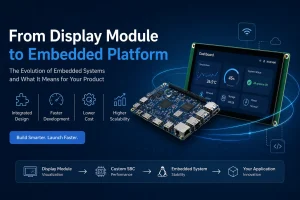
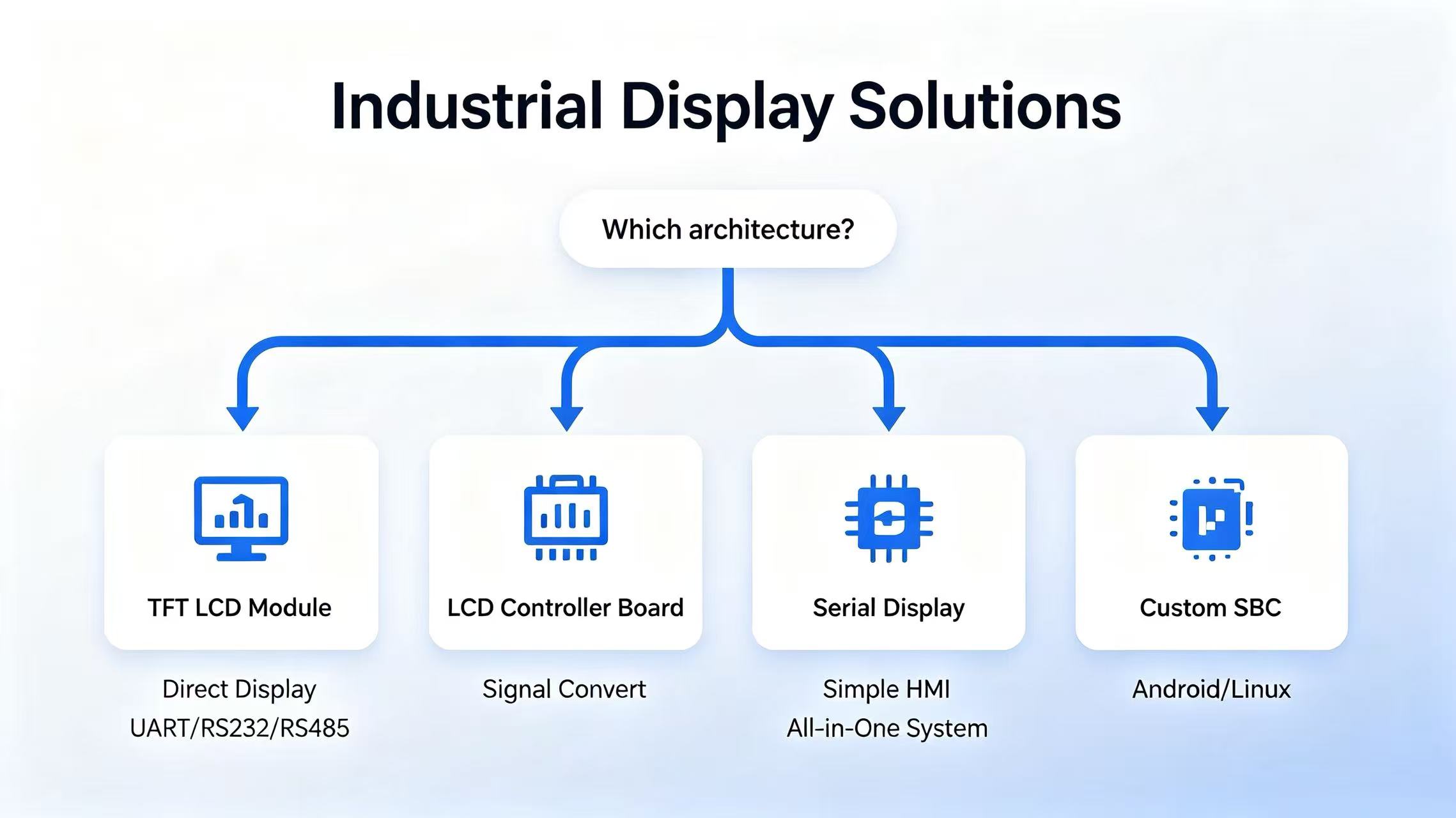
Some systems connect a display directly to an MCU or application processor, while some others rely on an LCD Controller Board to convert HDMI or DisplayPort into the interface required by the panel. For simpler HMI applications, a Serial Display communicates with the host through UART, RS232, or RS485. Now, more advanced products often use a Custom SBC, where the processor, operating system, and display interface are integrated into a single platform for better machanical structures.
The choice isn’t just about the display itself. It also affects the hardware design, software development, integration effort, and future upgrades. Selecting the right hardware architecture early in a project can reduce development
timeline, simplify system integration, and help avoid unnecessary redesign afterwards.
In this article, we’ll compare four common Industrial Display Solutions and discuss when each one is the best fit for your embedded application.
Why Display Solutions Come in Different Architectures
When evaluating an industrial display, engineers often notice that different products are built in every different ways.
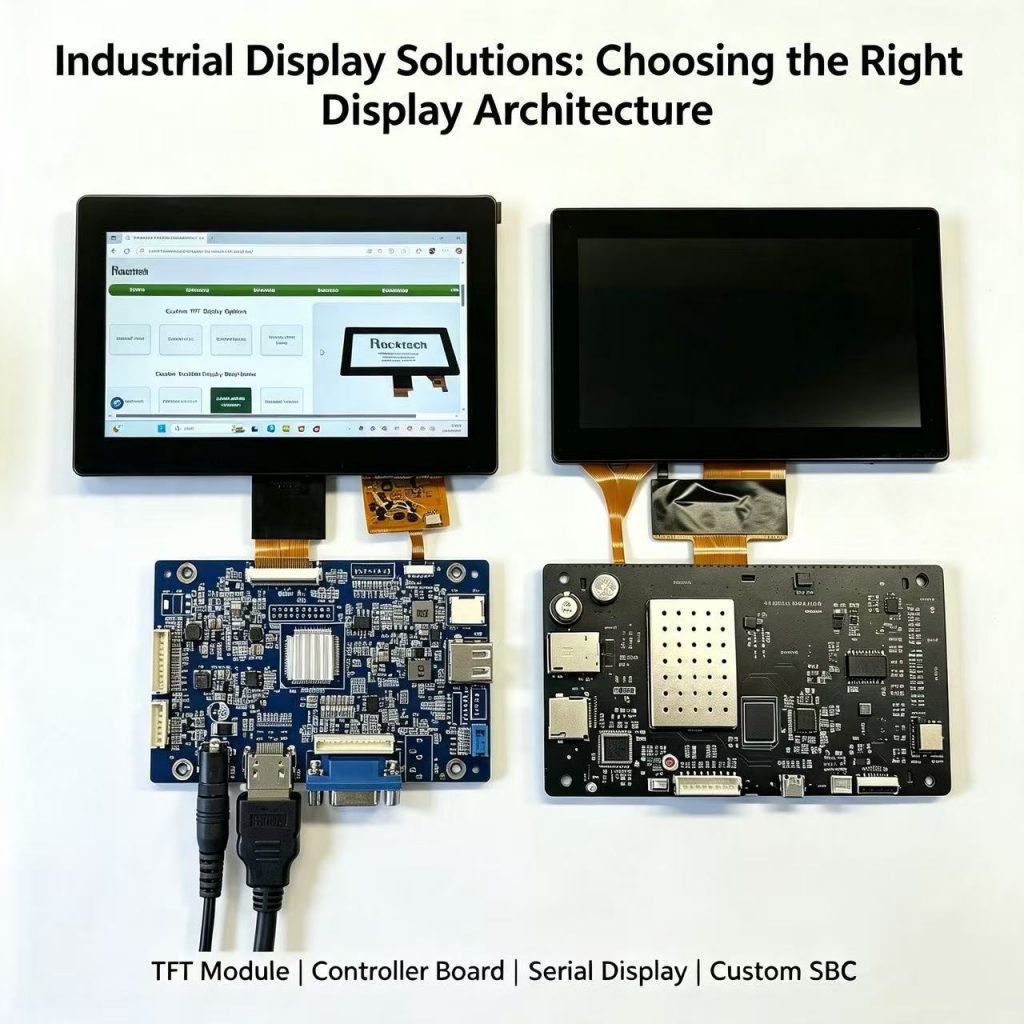
Some LCD modules connect directly to the main board. Others include an additional PCB on the back, while some are supplied with a complete Android or Linux board.
The reason is simple: the LCD panel is only one part of the system. The real difference lies in how the display is connected, being controlled, and where the graphical interface comes from.
For example, a processor with native RGB, LVDS, or MIPI DSI output can usually drive a TFT LCD directly. If the host device only provides HDMI, DisplayPort, or VGA, there’ll be a controller board needed to convert the signal. In other applications, the display includes its own graphics engine and receives commands through UART, RS232, or RS485. High-performance embedded devices often go one step further by using a single-board computer (SBC) that runs Linux or Android and drives the LCD directly.
Each approach is designed for a different type of embedded system, and no one is literally better than another.
The table below summarizes the four display architectures most commonly used in industrial applications.
| Display Architecture | Typical Data Flow | Best Suited For |
|---|---|---|
| TFT LCD Module | MCU / MPU → TFT LCD Module | Embedded systems with native RGB, LVDS, or MIPI DSI interfaces |
| LCD Controller Board | PC / Host Device → Controller Board → TFT LCD | Systems requiring HDMI, DisplayPort, VGA, or USB-C signal conversion |
| Serial Display | MCU / PLC → UART / RS232 / RS485 → Serial Display | Industrial HMIs, PLC-based systems, and equipment with simple user interfaces |
| Custom SBC | Embedded SBC (Android/Linux) → TFT LCD | Smart devices requiring local GUI rendering, multimedia, networking, and high system integration |
Option 1 — TFT LCD Module
A TFT LCD Module is usually the preferred choice when the main processor in the product already has the ability to control the display directly.
In this type of design, the LCD is connected directly to the system processor through standard display interfaces such as RGB, LVDS, MIPI DSI, or eDP. The processor is responsible for generating the graphical interface, controlling the display timing, managing the backlight, and communicating with the touch controller.
This approach is widely used in embedded systems where engineers already have a defined hardware platform and want maximum control over the final product design.
For example, many industrial devices are built around processors such as STM32, Rockchip RK3566/RK3576/RK3588, NXP i.MX, TI processors, or FPGA platforms. These processors already provide native display interfaces, making it possible to connect a display module without adding another conversion board.
Depending on the processor platform, much of the low-level display initialization—such as timing configuration and panel control—is often handled by the display driver or operating system rather than the application itself. The exact implementation varies between hardware platforms.
This architecture is commonly selected for:
| Application | Why It Fits |
|---|---|
| Industrial control equipment | Direct hardware integration and long product lifecycle |
| Medical devices | Full control over display behavior and user interface |
| POS terminals | Cost-effective hardware design |
| Robotics and automation systems | Flexible software and hardware customization |
| EV charging equipment | Easy integration with existing embedded platforms |
Main Advantages
The biggest advantage of this approach is flexibility. Since the display is controlled directly by the host processor, engineers have complete control over the user interface, display performance, and hardware design. Removing an additional controller board also helps reduce BOM cost and simplify the overall system structure.
Other benefits include:
- Lower hardware cost
- Flexible choice of processor and operating system
- Easier customization of touch panels and mechanical design
- Better control over long-term product maintenance
Considerations Before Choosing
The main trade-off is software development effort.
Because there is no dedicated display controller between the processor and LCD, the development team needs to handle display initialization, timing parameters, backlight control, touch communication, and GUI development.
For teams already working with embedded Linux, Android, RTOS, or frameworks such as LVGL and Qt, this usually provides the greatest design freedom. However, projects with limited software resources may prefer a solution with more functions integrated.
Overall, a direct-drive display architecture is a good choice when the product already has a capable processor and requires a balance between cost, customization, and long-term scalability.
Option 2 — LCD with Controller Board
An LCD Controller Board is commonly used when the host system provides a video output, but the LCD panel requires a different interface.
In many industrial applications, the main system already has a standard video output such as HDMI, DisplayPort, VGA, or USB-C. However, most TFT LCD panels are designed to receive interfaces such as LVDS, RGB, or MIPI DSI. A controller board acts like a bridge between this gap by converting the incoming video signal into the format required by the display.
The controller board does not replace the main processor or run the application software. Its main role is to handle display-related functions, including signal conversion, LCD timing configuration, power sequencing, and backlight control.
A typical application looks like this: Host Device → Controller Board → TFT LCD
The host device may be an industrial PC, mini PC, or embedded system with HDMI output, while the controller board handles the connection to the LCD panel.
This approach allows engineers to integrate an LCD into an existing system without redesigning the hardware platform or developing a dedicated display driver.
HDMI Driver Board vs. LCD Controller Board
When searching for display controller hardware, engineers may find different names such as HDMI Driver Board, LCD Controller Board, or Display Controller.
In most cases, these names describe the same category of hardware, but they emphasize different aspects.
An HDMI Driver Board focuses on the input side. The name highlights that the board accepts HDMI signals and converts them into a format that the LCD can use.
An LCD Controller Board focuses on the display side. It emphasizes the functions required to operate the panel, including signal processing, timing control, power management, and backlight adjustment.
Therefore, the difference is mainly in terminology rather than functionality. The correct name usually depends on whether the supplier or engineer is focusing on the video source or the LCD panel itself.
Typical Applications
| Application | Common Input Interface | Why It Fits |
|---|---|---|
| Industrial PCs | HDMI / DisplayPort | Connects standard computer outputs to TFT LCD panels |
| Mini PCs | HDMI / USB-C | Enables monitor-like display integration without hardware redesign |
| Medical equipment | HDMI / VGA | Simplifies display replacement and system upgrades |
| Test and measurement devices | HDMI / DisplayPort / VGA | Supports flexible display configurations for different systems |
| Digital signage | HDMI / USB-C | Provides easy integration with media playback devices |
| Industrial terminals | HDMI / VGA | Reduces display interface development effort |
Considerations Before Choosing
An LCD Controller Board takes care of most of the display-specific work, including signal conversion, timing configuration, power sequencing, and backlight control. As a result, developers can connect a TFT LCD to a system with HDMI, DisplayPort, VGA, or USB-C output without writing low-level display drivers or modifying the existing hardware platform.
The downside is that the board only manages the display. It doesn’t run application software or render the user interface by itself. Everything shown on the screen still comes from the host device.
If your system already has a processor or industrial PC that outputs video, this is often the quickest way to add an LCD. If you need the display subsystem to run Android or Linux, process data locally, or support functions such as multimedia, networking, or AI, an SBC is usually a better fit.
Option 3 — Serial Display
A Serial Display is designed for applications where the main controller does not need to handle the display rendering process.
Instead of sending complete graphics data to the LCD, the host system communicates with the display through simple commands. The display module contains its own graphics processing capability and updates the user interface based on the received instructions.
This approach is especially useful for systems based on microcontrollers or PLCs, where processing resources and software development time may be limited.
The basic communication flow is: MCU / PLC → UART / RS232 / RS485 → Serial Display → LCD + Touch
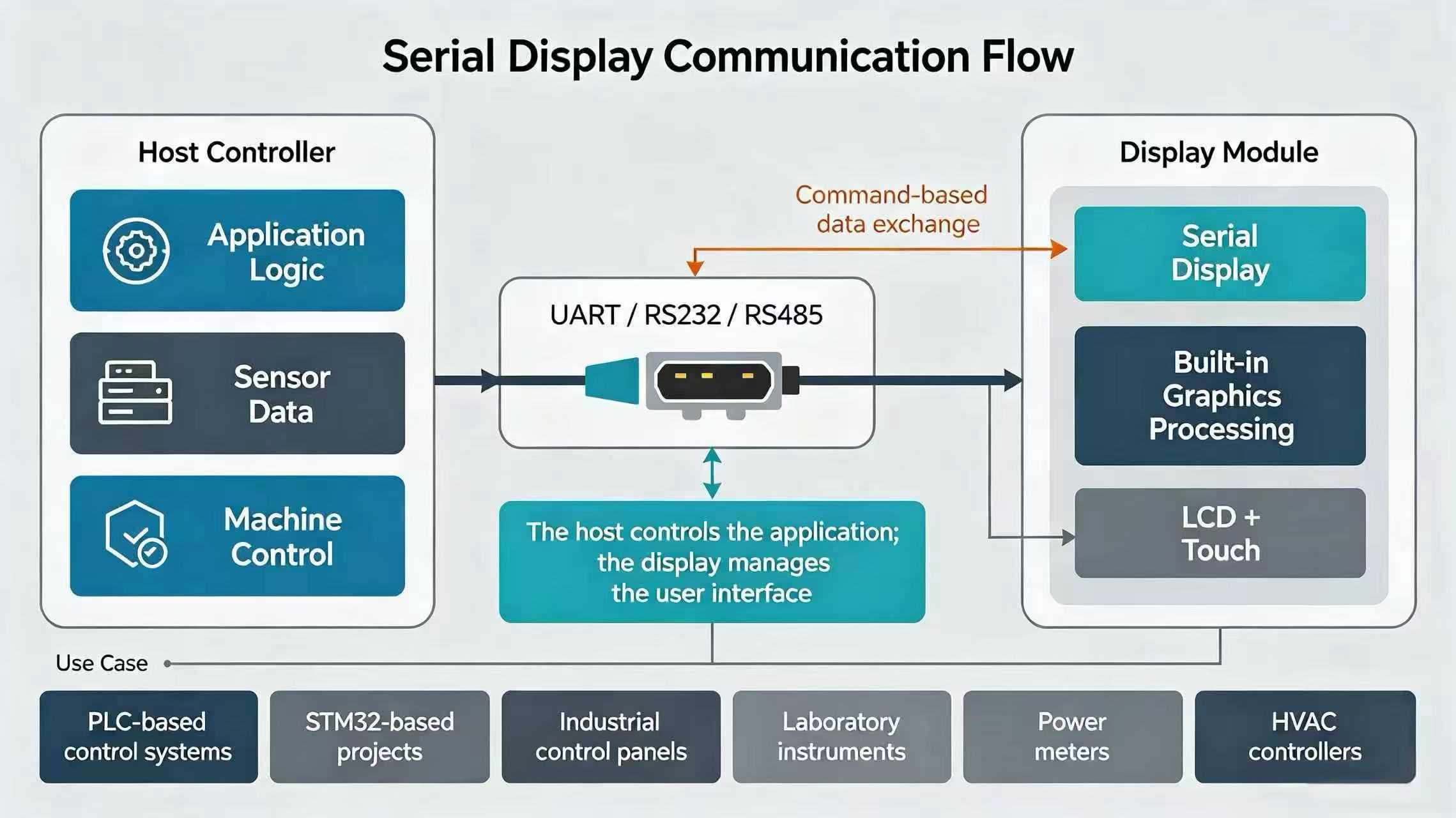
In this configuration, the host controller focuses on application logic, sensor data, and machine control, while the display handles the user interface.
A Serial Display is commonly used for embedded products that require a reliable HMI but do not need complex graphics processing.
| Application | Why It Fits |
|---|---|
| PLC-based control systems | Simple communication between controller and HMI |
| STM32-based projects | Reduces GUI development workload |
| Industrial control panels | Reliable interface for machine operation |
| Laboratory instruments | Clear and simple data visualization |
| Power meters | Suitable for status display and parameter setting |
| HVAC controllers | Supports basic user interaction |
| Embedded HMIs | Faster development with limited hardware resources |
Why Is It Still Used?
Modern processors can directly drive TFT LCDs with advanced graphics frameworks, but serial-based displays remain widely used in many industrial applications.
The reason is not that the technology is outdated. Instead, this approach solves a different engineering problem.
For applications with relatively simple interfaces, allowing the display to manage GUI rendering can significantly reduce software workload. The main controller only needs to exchange commands and data, which simplifies development, testing, and long-term maintenance.
This makes the solution attractive for products that prioritize reliability, cost control, and long product lifecycles over complex graphical effects.
UART, RS232, and RS485 Communication
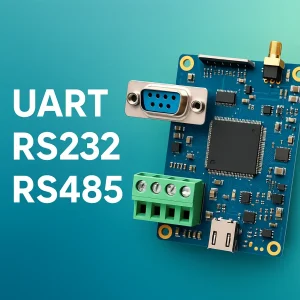
A Serial Display usually communicates with the host system through interfaces such as UART, RS232, or RS485.
These interfaces only define how information is transferred between devices. They do not determine who creates the graphical interface.
For example, modern Android/Linux SBC platforms also use UART and RS485 to communicate with external devices such as PLCs, sensors, GPS modules, and barcode scanners.
The key difference is the system architecture:
- In a Serial Display setup, the display generates and manages the GUI.
- In a traditional embedded display setup, the main processor renders the interface and controls the LCD directly.
Option 4 — Custom SBC
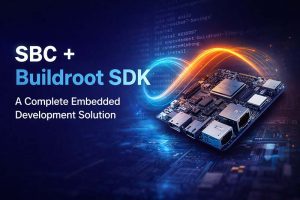
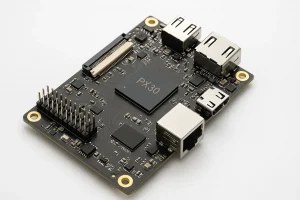
A Custom SBC (Single Board Computer) combines the processor, memory, storage, operating system, and display interface into a single embedded platform.
Unlike an LCD Controller Board, which mainly handles signal conversion, an SBC can run applications, generate the graphical user interface (GUI), and control the display directly. It works as the main computing unit of the product rather than only acting as a connection between the host and LCD.
This architecture is commonly used in products that require higher processing capability, richer software functions, and more connectivity options.
Typical system architecture: Custom SBC (Android / Linux) →RGB / LVDS / MIPI DSI / eDP →TFT LCD Module
Typical Applications
| Application | Why It Fits |
|---|---|
| Smart industrial equipment | Supports advanced GUI and system control |
| Medical devices | Provides computing power for applications and data processing |
| AI edge devices | Enables local AI algorithms and camera processing |
| Smart terminals | Supports multimedia, networking, and interactive interfaces |
| Automation systems | Provides communication with industrial peripherals |
| IoT gateways | Combines display, processing, and network connectivity |
Modern SBC platforms also provide various interfaces, including UART, RS232, RS485, CAN, USB, Ethernet, Wi-Fi, and Bluetooth. These connections allow the system to communicate with external devices such as PLCs, sensors, barcode scanners, GPS modules, and other industrial equipment.
The main advantage of this approach is system integration. Instead of combining separate computing, communication, and display control boards, developers can build the product around one embedded platform. The same board can handle application software, GUI rendering, storage management, networking, and display output.
This reduces hardware complexity and provides greater flexibility for future software updates and feature expansion. As products evolve, new functions, bug fixes, and security patches can often be deployed through firmware updates instead of hardware redesigns, helping extend the product lifecycle and simplify long-term maintenance. If you’re interested in how embedded Android firmware is updated in practice, check out our guide on upgrading Android firmware on embedded SBCs.
Limitations
The additional processing capability also increases hardware cost and system complexity.
For applications that only require simple status display, basic HMI functions, or limited interaction, a TFT LCD Module or Serial Display may provide a more economical solution.
A Custom SBC is most suitable when the product requires a full operating system, advanced graphics, multimedia features, networking, or continuous software expansion.
Which Display Solution Fits Your Project?
Each project has different hardware resources, software requirements, and development goals. The right choice depends on what already exists in your system and what functions the final product needs to support.
The table below provides a quick comparison of the four common display configurations.
| Requirement | TFT LCD Module | LCD Controller Board | Serial Display | Custom SBC |
|---|---|---|---|---|
| Existing MCU / MPU | ✅ | ○ | ✅ | ○ |
| HDMI / DP / USB-C Input | ❌ | ✅ | ❌ | ○ |
| Android / Linux Support | ❌ | ❌ | ❌ | ✅ |
| Lowest Hardware Cost | ✅ | ○ | ✅ | ❌ |
| Fast Development | ○ | ✅ | ✅ | ○ |
| Complex GUI | ○ | ❌ | ❌ | ✅ |
| Multimedia / AI Processing | ❌ | ❌ | ❌ | ✅ |
| Long Product Lifecycle | ✅ | ✅ | ✅ | ✅ |
| Maximum Hardware Flexibility | ✅ | ○ | ❌ | ✅ |
No architecture is universally better.
The best choice depends on your processor, available interfaces, software resources, budget, and product roadmap. Selecting the right approach early can help reduce development effort and avoid unnecessary hardware changes later.
Conclusion
Selecting an industrial display is not only about choosing the right panel size, resolution, or brightness. The more important decision is choosing the right display architecture for your application.
A TFT LCD Module is ideal when the processor already supports a native display interface. An LCD Controller Board simplifies integration when the host system outputs HDMI, DisplayPort, or other standard video signals. A Serial Display reduces software complexity for simple HMI applications, while a Custom SBC provides a complete platform for advanced embedded systems.
At Rocktech, we provide a wide range of embedded display solutions, including TFT LCD modules, controller board solutions, serial displays, and Android/Linux SBC platforms. Our engineering team helps customers select the right hardware architecture based on application requirements, development goals, and long-term product plans.