Embedded Systems Design for Industrial Devices
Embedded systems combine computing hardware and software to perform specific tasks inside a product. A gateway may collect data from machines and forward it to a network. A touchscreen terminal may display machine status and send operator commands. Both need a processor and software, but their interfaces, timing requirements, and behavior during a failure can be quite different.
This page is for hardware engineers, embedded software developers, and product teams defining a device before selecting its board. Start by listing what the device must sense, display, communicate, and control. For each task, decide how quickly the device must respond and what it should do if power, a network connection, or a peripheral becomes unavailable.
Choose the Computing Platform Around the Workload
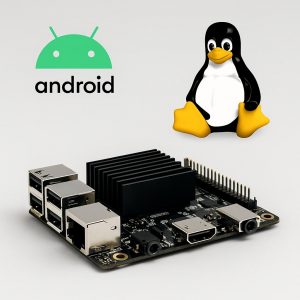
Embedded systems that read a few sensors and drive simple outputs may fit on a microcontroller. A product that needs a graphical interface, local storage, and several network services may be easier to develop on a Linux SBC. If a task has a strict deadline, measure its worst-case response while the rest of the device is busy. A smooth interface or a fast average response tells you little about whether that deadline is being met.
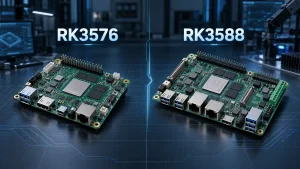
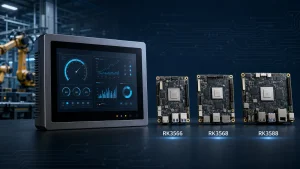
Before specifying a custom SBC, check whether a standard board can handle the intended combination of peripherals. List which ports must operate simultaneously, where the connectors need to sit, and what the board must do at startup. For a gateway, test serial traffic while the network is busy. For a terminal, check that the display stays responsive while the device writes logs or receives data.
Treat the Screen as Part of the Device
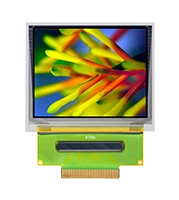
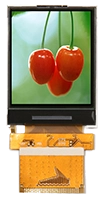
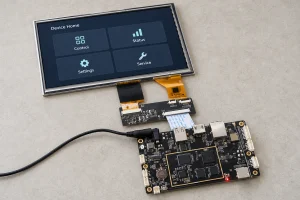
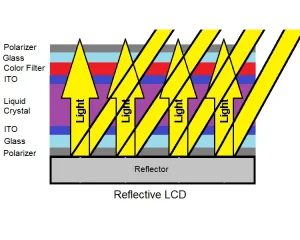
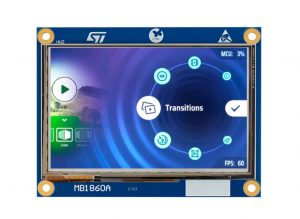
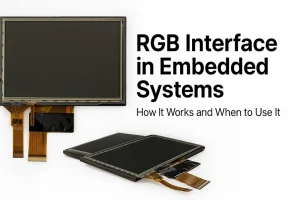
When integrating an industrial TFT display, verify the panel timing, connector pinout, backlight supply, and software support against the host board. A compatible video interface still leaves the touch controller and its driver to be checked separately. On a device mounted at an angle, test the actual interface behind the intended cover glass. Text that looks clear on a bench can be difficult to read when an overhead light reflects off the installed screen.
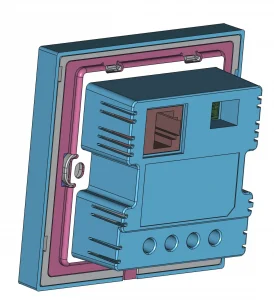
Use the enclosure to check cable bends and connector access before freezing the layout. Run the board and display together at the intended brightness and workload with the enclosure closed. If temperatures rise beyond the limits of a component, assess the heat path and the workload that produced the rise before changing the board or display.
Test What Happens After a Fault or Update
Test embedded systems through the interruptions they will encounter in service. Disconnect a supported network link and check whether the device flags stale data, reconnects on its own, and restores the current state. After a brief power interruption, verify what the device displays or sends before all of its services are ready. A successful restart includes the expected behavior of the application and connected peripherals.
Keep a release record that ties the board revision and peripheral models to the system image and recovery procedure. Recheck the affected functions when a driver, display, or storage component changes. For devices updated in the field, verify that settings survive an update and that a technician can recover a unit if installation fails.