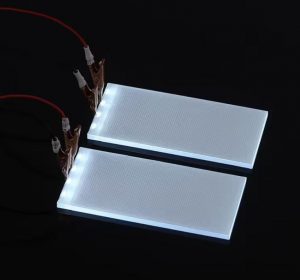
LCD Brightness
Why LCD Brightness Matters in Real Products
When buyers compare LCD modules, “brightness” is usually the first number they ask for—often expressed in nits (cd/m²). But in real products, LCD brightness is not just a spec on a datasheet. It directly decides whether a screen is readable at a window-side desk, on a factory floor under high-bay lighting, inside a vehicle, or outdoors in partial sunlight.
For embedded systems, brightness has to match the full environment, not only the “best case” demo condition. Many applications look fine at 250–300 nits in a lab, but become marginal once you add a cover lens, a protective film, a touch panel, or an enclosure that creates reflections. As a rule of thumb, every extra optical layer can reduce perceived brightness, and reflections can reduce contrast even more than brightness loss alone.
Brightness selection also impacts power budget and thermal design. Higher nit targets usually require stronger backlight current, higher LED density, and better heat dissipation. That affects driver selection, PCB layout, and long-term reliability. If the design is too aggressive, you may see color shift, reduced LED lifetime, or uneven luminance over time. If the design is too conservative, customers complain about “washed out” visuals or poor outdoor readability.
Finally, brightness should be considered together with contrast, surface treatment (AG/AR/AF), and optical bonding. A well-balanced optical stack can deliver better readability at a lower nit level, which often saves cost and power. This tag collects practical notes and engineering-friendly guidance on choosing and integrating the right LCD brightness level for industrial TFT displays, HMIs, and embedded control panels.
How to Specify the Right Brightness Level
A useful way to choose brightness is to start from the environment and then apply “loss factors.” For indoor control panels with stable lighting, 250–400 nits is often sufficient. For bright indoor areas (large windows, strong ceiling lights), 500–800 nits is safer. For semi-outdoor locations (kiosks under shade, entrances, sheltered installations), 800–1200 nits is common. Full outdoor readability typically needs higher brightness, but the real requirement depends on reflections, viewing angle, and whether the UI uses high-contrast design.
Also pay attention to how brightness is measured. Datasheets typically quote center luminance at a defined backlight current and temperature. In production, what matters is minimum luminance across the panel, plus uniformity. If your UI has large white areas, non-uniformity becomes more visible. If the UI is darker, uniformity is still important, but less likely to trigger complaints.
Brightness control is another integration point. Most embedded LCDs rely on PWM dimming, DC dimming, or a hybrid approach. PWM is simple and efficient, but may introduce flicker depending on frequency and duty cycle. DC dimming can be more comfortable for some users but requires careful current control and may reduce color stability at low levels. If the product will be used for long hours (industrial monitoring, medical equipment, control rooms), dimming strategy is not a detail—it affects perceived quality.
In short: treat brightness as a system-level requirement. Define the use scene, account for optical stack losses, confirm dimming method, and verify thermal margins. When brightness is correctly specified, it improves not only readability but also overall product reliability and customer satisfaction.