What Is an Embedded HMI? Understanding the HMI Display Behind Industrial Devices
Imagine operating a machine without a screen, buttons, or any way to see what is happening inside. You would have to guess whether it is running, what temperature it has reached, or whether something has gone wrong. Not very convenient, right?
That is exactly why we have an Human-Machine Interface (HMI).
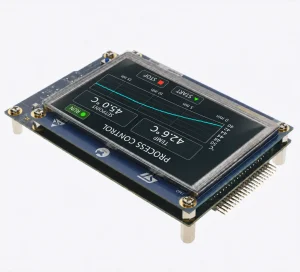
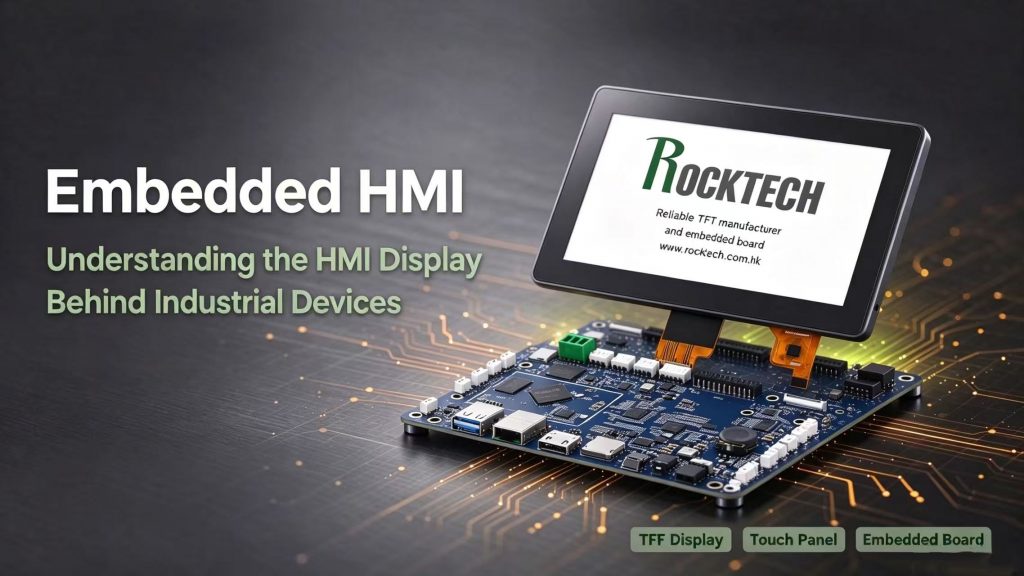
An Embedded HMI takes this a step further by integrating the display, touch interface, and computing hardware into a dedicated system. Rather than relying on a separate computer, the device has its own embedded platform to run software and manage interactions. You can think of it as a small, purpose-built computer that gives a machine its own face and a way to communicate with people.
Embedded HMI systems are widely used in industrial automation equipment, medical devices, smart instruments, energy management systems, and industrial control terminals, helping operators monitor equipment, view data, and interact with machines more easily.
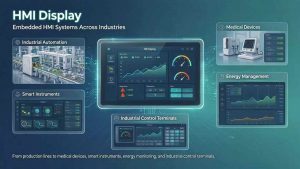
Although these devices may look quite different, most Embedded HMI solutions share three essential hardware components:
1. TFT Display – The Eyes: Displays operating information, data, machine status, and graphical interfaces, allowing operators to see what is happening.
2. Touch Panel – The Hands: Receives user input through touch gestures and button selections, allowing operators to interact with the machine.
3. Embedded Board – The Brain: Processes data, runs the operating system and application software, and manages communication between the user interface and connected equipment.
Together, these components form an Embedded HMI Display solution. But how do they actually work together? Let’s take a look at the interaction process.
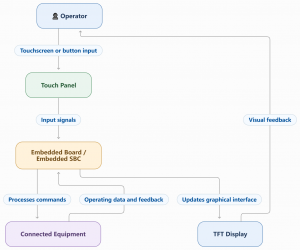
When an operator touches the screen, the touch panel sends the input to the embedded board. The board processes the command and communicates with the connected equipment. Once the operation is performed, the equipment sends feedback to the board, which updates the information on the TFT display. This process happens continuously, allowing operators to monitor equipment and interact with it through a single interface.
In other words, an HMI Display is much more than just an LCD screen. It is part of an integrated system where display hardware, touch technology, and an Embedded SBC work together to make machine operation easier and more intuitive.
MCU-based vs. MPU-based HMI: Which Computing Platform Do You Need?
Not all HMI devices require the same computing power. Some only need to display a few parameters and handle basic button operations, while others need to run complex graphical interfaces, process real-time data, and support network connectivity. This is where the choice between an MCU and an MPU comes in.
An MCU (Microcontroller Unit) is typically used for simpler HMI applications that require basic control functions. It can handle tasks such as menu navigation, parameter settings, temperature and voltage monitoring, and simple graphical interfaces. MCU-based systems commonly run bare-metal firmware or an RTOS (Real-Time Operating System). Popular examples include STM32 and NXP LPC series.
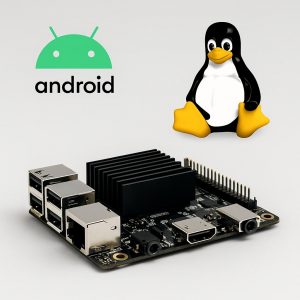
An MPU (Microprocessor Unit) is designed for more complex computing tasks. It is better suited to HMI devices requiring multi-page graphical interfaces, real-time data visualization, touchscreen interaction, network connectivity, or multimedia applications. MPU-based systems typically run operating systems such as Linux or Android. Examples include NXP i.MX and Rockchip platforms such as PX30, RK3566 and RK3576.
Here is a quick comparison:
| Comparison | MCU-based HMI | MPU-based HMI |
|---|---|---|
| Processing | Basic control tasks | Complex data processing |
| Operating System | Bare-metal / RTOS | Linux / Android |
| User Interface | Simple graphics | Rich graphical UI |
| Display | Usually smaller, simpler displays | Supports larger, higher-resolution displays |
| Applications | Basic control panels | Advanced industrial HMI |
So, which one should you choose?
Neither platform is automatically to be recognized as better than the other. The right choice depends on the application’s processing requirements, user interface complexity, software environment, and hardware configuration.
For simple control panels, an MCU may be sufficient. For more advanced Industrial HMI applications requiring a sophisticated graphical interface and greater computing capabilities, an MPU-based Embedded SBC is often a more suitable choice.
Display and Touchscreen Integration for Industrial HMI
The display and touchscreen are the most visible parts of an HMI device, directly affecting how operators interact with the equipment. Choosing the right HMI Display involves more than just screen size. Several factors need to be considered to ensure reliable performance in industrial environments.
When selecting a TFT LCD for an industrial HMI, consider the following:
-
Screen Size and Resolution: Select a suitable display size and resolution based on your application requirements and the capabilities of your mainboard/MCU/controller board. Make sure the display outline dimensions also fits within the available space in your housing/casing/bezel.
-
Display Interface: Common interfaces include RGB, LVDS, MIPI, and eDP. The choice depends on the capabilities of the embedded board and display requirements
- Brightness and Viewing Angle: Higher brightness and wide viewing angles help maintain readability under different lighting conditions and applications.
- Operating Temperature: For equipment used in harsh environments, the display should support the required operating temperature range.
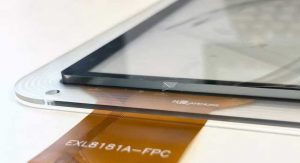
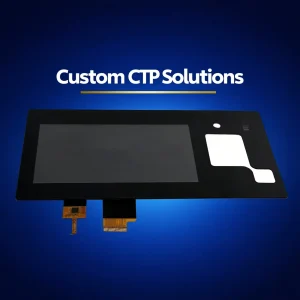
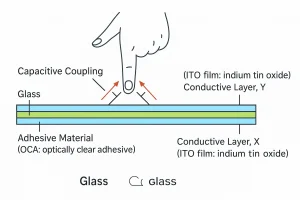
The touchscreen determines how users interact with the HMI. Resistive touch is suitable for basic input applications, while projected capacitive (PCAP) touch supports multi-touch gestures and a more intuitive user experience.
The cover glass also plays an important role. Its thickness, shape, and surface treatment can be customized to meet different application requirements. Common options include Anti-Glare (AG) to reduce reflections, Anti-Reflection (AR) to improve screen visibility, and Anti-Fingerprint (AF) to reduce fingerprints and smudges.
For applications requiring better optical performance, optical bonding can reduce internal reflections and improve display visibility, particularly in bright environments.
Ultimately, an industrial HMI Display is not simply an LCD paired with a touchscreen. Display performance, touch functionality, environmental requirements, and mechanical design all need to work together to create a reliable solution.
Choosing the Right Embedded SBC for Your Industrial HMI
After selecting the display and touchscreen, the next step is choosing a suitable computing platform. The right Embedded SBC (Single Board Computer) depends on several factors:
-
Processing Requirements: Does the application only handle basic control logic, or does it require complex graphics and data processing?
-
Operating System: Does the project need bare-metal firmware, an RTOS, Linux, or Android?
-
Connectivity: Which interfaces/modules are required? Common interface options include Ethernet, Wi-Fi, Bluetooth, USB, CAN, and RS485, while you might need some functions for your application which would decide the modules you need.
As a general guide, an MCU-based solution is often sufficient for basic control panels with simple user interfaces. For Linux-based industrial HMI applications, an MPU-based SBC is a more suitable option. If the project requires advanced graphics or Android applications, a more powerful application processor may be necessary.
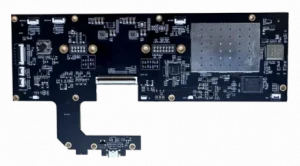
However, standard development boards do not always meet the specific requirements of industrial products. Custom Embedded SBC solutions can be designed to accommodate special interfaces, board dimensions, mounting requirements, and processing capabilities.
By matching the computing platform to the actual application, manufacturers can achieve a more suitable balance between performance, cost, and long-term reliability.
The Future of Industrial HMI
As industrial equipment becomes increasingly connected and intelligent, HMI systems are evolving beyond basic display and control panels. Modern industrial HMI devices are expected to support richer graphical interfaces, real-time data visualization, remote connectivity, and more intuitive user interactions.
These developments are driving more demands for more flexible hardware solutions/applications. From TFT display sizes and touchscreen configurations to embedded computing platforms, different applications require different combinations of hardware and software.
In this case, rather than relying on a one-size-fits-all design, customized HMI Display and Embedded SBC solutions allow more manufacturers to better match their products to specific application requirements, installation environments, and long-term development plans.
I can see the future of Industrial HMI is not just about displaying information, but making human-machine interaction smarter, more intuitive, and more adaptable.