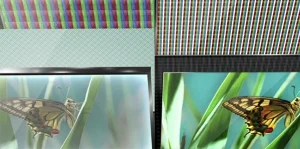
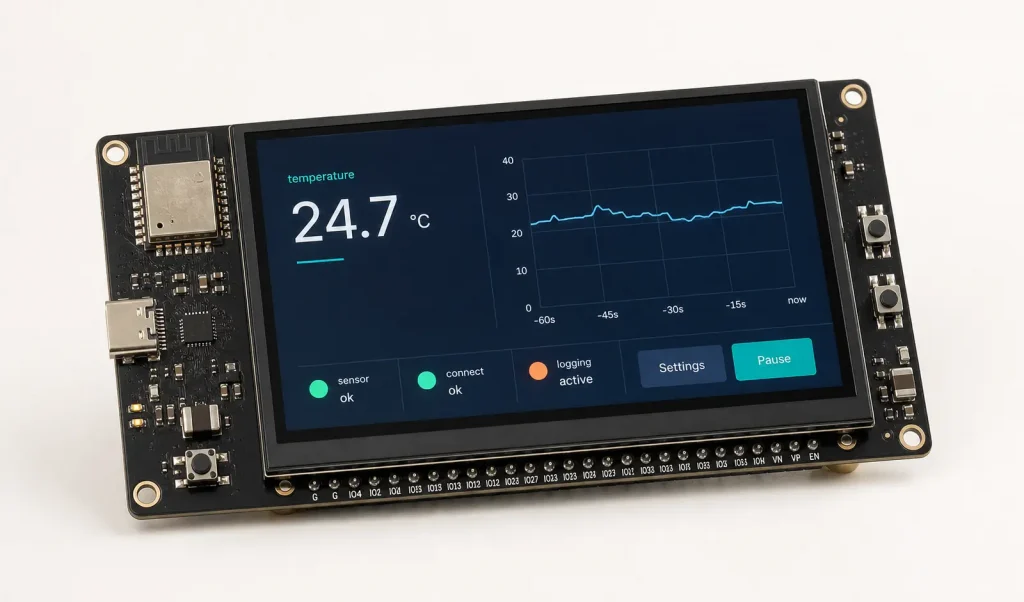
Choosing a display for ESP32 project is not simply a matter of matching screen size and resolution. I normally begin with three questions: Can the selected ESP32 generate the required display signals? Is there enough memory bandwidth for the intended frame rate? And can the board power both the panel and its backlight correctly? Touch, environmental limits, and driver support come immediately after that.
The useful way to select an ESP32 display is to work outward from the SoC: first the available LCD peripheral, then bandwidth and memory, and finally the panel, touch sensor, and mechanics. The examples below use several Rocktech TFT modules to show how that process applies to ESP32-S3 and ESP32-P4 hardware. Treat the model suggestions below as a shortlist, not a wiring table. Check the current Espressif datasheet and request the exact Rocktech panel drawing before fixing the connector pinout or sending the PCB to fabrication.
Start with the ESP32 SoC, Not the Screen Size
ESP32 is a product family, and the name alone tells us very little about display capability. An ESP32-C3, ESP32-S3, and ESP32-P4 may all appear on an “ESP32” parts list, but they lead to very different LCD architectures. A small SPI panel that works well with an ESP32-C3 may be too slow for a graphics-heavy control panel. Conversely, using an ESP32-P4 for a basic status screen may add unnecessary complexity.
The original ESP32 and devices such as the ESP32-C3 are sensible choices for compact interfaces with buttons, icons, simple charts, and limited animation. They commonly drive a small ESP32 LCD screen through SPI. The interface uses relatively few pins and is easy to route, but its serial bandwidth limits resolution and refresh rate.
The ESP32-S3 is a better fit for a richer graphical user interface. It supports SPI and Intel 8080-style LCD connections and includes a dedicated RGB LCD controller. With external PSRAM, an ESP32-S3 display can run LVGL interfaces on 4.3-inch, 5-inch, and even selected 7-inch panels, provided that resolution, frame rate, and memory bandwidth are managed carefully.
For higher-resolution interfaces, the ESP32-P4 is the most display-oriented option in the family. It has a 400 MHz dual-core RISC-V application processor, a pixel processing accelerator, a JPEG codec, an LCD controller, and a two-lane MIPI DSI interface. Note that ESP32-P4 does not integrate Wi-Fi or Bluetooth, so a companion wireless device may be required.
ESP32 Display Interface Comparison
| Interface | Typical ESP32 Devices | Best Use | Main Engineering Trade-off |
|---|---|---|---|
| SPI | ESP32, ESP32-C3, ESP32-C6, ESP32-S3 | Small displays and simple user interfaces | Low pin count, but limited refresh bandwidth |
| 8080/I80 | ESP32-S3 and selected ESP32 devices | Small and medium MCU-interface TFTs | Faster than SPI, but requires more GPIO pins |
| Parallel RGB | ESP32-S3, ESP32-P4 | Fluid HMI graphics from 4.3 to 7 inches | High GPIO usage and continuous pixel-clock traffic |
| MIPI DSI | ESP32-P4 | Compact, higher-resolution displays | Requires lane, timing, power, and initialization compatibility |
When to Choose an SPI ESP32 LCD Screen
For a small ESP32 display, I would normally evaluate SPI first. It requires fewer signal lines than RGB or I80, simplifies the first PCB revision, and leaves GPIOs available for sensors and communication interfaces. It leaves more pins available for sensors, relays, communication buses, and other peripherals. A small instrument with a few readings, alarms, and setup menus rarely needs a large panel. In that type of design, a 2.4-inch or 3.5-inch SPI display keeps the pin count and memory demand under control.
One panel worth checking for this class of product is the Rocktech RK035FQ08. Its 3.5-inch, 320 × 240 format keeps the pixel count modest, and Rocktech lists CPU, RGB, and SPI variants. For an ESP32 build, specify the required interface when ordering; the same base model name should not be taken to mean that every sample has the same FPC or controller configuration. The required interface version, controller IC, command set, connector, and voltage levels must be specified when requesting a sample.
The controller IC is often more important than the glass size. Before ordering samples, obtain the initialization sequence and find out what SPI clock has actually been tested. Also check whether the panel uses separate MOSI and MISO lines. These details determine whether an existing ESP-IDF or LVGL driver can be reused, or whether the first prototype will require a custom panel driver. A known controller and a verified initialization sequence can save more engineering time than a minor reduction in panel price.
Building an ESP32-S3 Display with Parallel RGB
RGB changes the design in two ways. The ESP32 must stream pixels continuously, and the PCB must carry a relatively wide group of data and timing signals. The reward is a noticeably smoother interface than a typical SPI panel; the cost is higher GPIO usage, more demanding layout, and sustained memory traffic.
ESP32-S3 has a hardware RGB LCD controller, but that does not remove the memory constraint. An 800 × 480 RGB565 frame occupies 768,000 bytes. Two full buffers need about 1.54 MB, before LVGL drawing buffers, fonts, images, network stacks, and application data are added. In practice, an ESP32-S3 module with PSRAM is the sensible starting point for this resolution.For example, one 800 × 480 RGB565 frame requires about 768,000 bytes. Double buffering needs roughly twice that amount before application assets, fonts, networking buffers, and the LVGL heap are counted.
The following Rocktech models are practical candidates for an ESP32-S3 display evaluation:
| Rocktech Model | Panel Specification | Suggested ESP32 Platform | Typical Application |
|---|---|---|---|
| RK040HF08 | 4.0 inch, 480 × 480, MIPI, 360 nits, optional touch | ESP32-S3 or ESP32-P4 | Appliance or compact control panel |
| RK043HN10HS | 4.3 inch IPS, 480 × 272, RGB, 500 nits | ESP32-S3 | Wide-view industrial HMI |
| RK043HR005 | 4.3 inch IPS, 800 × 480, RGB, 500 nits | ESP32-S3 with PSRAM | Detailed GUI and smart-home controller |
| RK050HR18-CTG | 5.0 inch IPS, 800 × 480, RGB, 400 nits, optional touch | ESP32-S3 with PSRAM | Medical, charging, and automation interface |
| RK070CU01H-CTG | 7.0 inch, 1024 × 600, MIPI or LVDS, 800 nits, optional touch | ESP32-S3 or ESP32-P4 after bandwidth review | Wall panel or operator terminal |
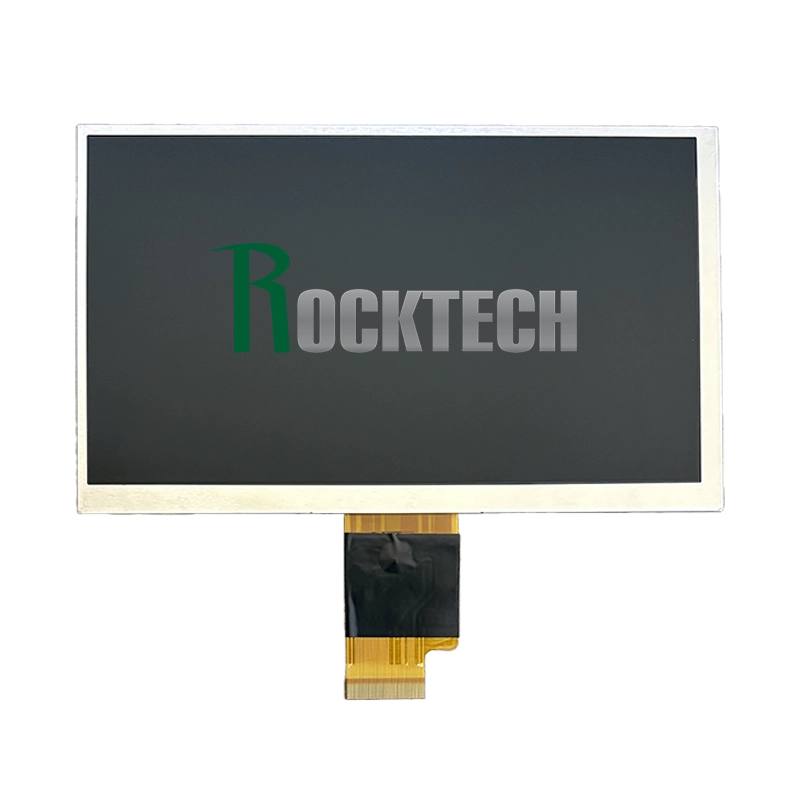
These pairings are engineering starting points, not drop-in compatibility claims. RGB bus width, pixel-clock limits, sync polarity, porch timing, FPC pinout, and power sequencing must be checked for the exact panel revision.
Using an ESP32 MIPI DSI Display
An ESP32 MIPI DSI display normally points to an ESP32-P4 design. ESP32-P4 provides a MIPI DSI interface with up to two data lanes at up to 1.5 Gbps per lane. It supports RGB565, RGB666, and RGB888 output formats. The MIPI D-PHY also requires a stable 2.5 V supply, which should be included in the power design from the beginning.
The word “MIPI” on a panel datasheet is not enough to establish compatibility. A common problem is lane count: some controller configurations expect four lanes, whereas ESP32-P4 provides no more than two. Even when the controller can operate in two-lane mode, its initialization registers and required lane rate still have to be verified.
For a compact square interface, the Rocktech RK040BF252 provides a 4.0-inch, 720 × 720 format. The RK055MHD099 moves to 5.5 inches and 720 × 1280, while the RK070HI153 extends the same portrait-oriented approach to 7 inches and 800 × 1280. These panels are worth discussing with Rocktech for an ESP32-P4 project, but none should be placed on a schematic until two-lane operation, initialization data, and the required frame rate have been confirmed.
Adding an ESP32 Touchscreen
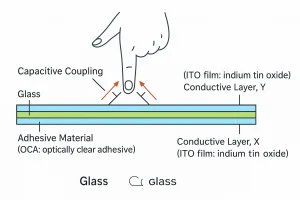
On the schematic, the LCD and touch panel should be treated as separate devices. The TFT may occupy the SPI, RGB, or MIPI interface, while a capacitive touch controller typically adds an I2C bus, an interrupt signal, and a reset line. A capacitive touch panel commonly communicates through I2C, while the LCD uses SPI, RGB, or MIPI DSI. The touch interrupt and reset pins must also be included in the schematic.
Confirm the touch controller model and its available driver before final selection. Also check the coordinate orientation. A portrait-native panel used in landscape mode may require coordinate rotation or axis inversion. For products with thick cover glass, gloves, water exposure, or custom artwork, touch tuning may be required.
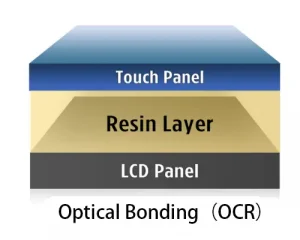
Rocktech can supply optional capacitive or resistive touch, custom cover glass, logo printing, FPC modification, and air or optical bonding on selected modules. Optical bonding can improve contrast and mechanical stability, but it should be evaluated together with cost, repair strategy, and environmental requirements.
Final Recommendation
For a small, cost-sensitive ESP32 LCD screen, begin with SPI or an MCU interface. For a responsive 4.3-inch or 5-inch GUI, an ESP32-S3 display using a Rocktech RGB module is often the most balanced solution. For higher resolution, fewer display signal pins, or a modern portrait-format interface, evaluate an ESP32-P4 with a verified two-lane Rocktech MIPI panel.
Resolution is only useful when the processor can refresh it, the enclosure can accommodate it, and the panel can remain available through production. I would choose a well-documented 800 × 480 RGB module over a higher-resolution panel with uncertain initialization data or no confirmed supply plan.
Frequently Asked Questions About Selecting a Rocktech Display for ESP32
How do I choose a Rocktech display for my ESP32 project?
Start with the exact Espressif SoC rather than the screen size. Send Rocktech the ESP32 model, preferred interface, target resolution, available enclosure space, brightness requirement, touch requirement, and expected production volume. Rocktech can then shortlist suitable display modules and identify which specifications still need to be verified before PCB design.
Which Rocktech displays should I evaluate for an ESP32-S3 RGB design?
For an ESP32-S3 RGB display, useful starting points include the 4.3-inch RK043HN10HS at 480 × 272, the 4.3-inch RK043HR005 at 800 × 480, and the 5.0-inch RK050HR18-CTG at 800 × 480. The final choice depends on frame-buffer memory, pixel-clock timing, brightness, viewing angle, touch construction, and mechanical dimensions. Request the current drawing and datasheet for the exact sample revision before assigning the FPC connector.
Can Rocktech help evaluate a MIPI DSI display for ESP32-P4?
Yes. Rocktech offers MIPI panels that can be considered for ESP32-P4 projects, including the RK040BF252, RK055MHD099, and RK070HI153. ESP32-P4 supports a maximum of two MIPI DSI data lanes, so Rocktech should confirm whether the selected panel and controller can operate in a compatible one-lane or two-lane mode. Lane rate, initialization commands, video timing, color format, and power sequencing must also be reviewed.
Can I request a Rocktech sample before completing the ESP32 PCB?
Yes, and sample evaluation should take place before the production PCB is released. Ask for the exact display revision, interface configuration, FPC drawing, connector specification, controller IC information, initialization data, timing parameters, and power requirements. Testing the real sample with ESP-IDF and the intended graphics library is safer than designing from a general product-page description.
What technical information should I send Rocktech for display matching?
Provide the full ESP32 part number, LCD interface, target resolution and frame rate, color depth, available GPIO count, PSRAM configuration, supply voltages, screen orientation, brightness target, operating temperature, touch requirements, enclosure drawing, and estimated order volume. If the PCB already exists, include its display connector pinout and supported timing range.
Can Rocktech provide an ESP32 touchscreen with a custom cover lens?
Selected Rocktech modules can be supplied with capacitive or resistive touch options. Depending on the project, customization may include the cover-lens outline, thickness, printed border, logo, touch FPC, connector, and bonding method. The touch controller, I2C address, interrupt pin, reset timing, cover-glass thickness, glove operation, and water-handling requirements should be agreed before the touch assembly is finalized.
Can Rocktech modify the FPC or connector to fit an existing ESP32 board?
FPC and connector customization may be available for selected displays, but feasibility depends on the panel construction and project volume. Send Rocktech the existing connector location, pin assignment, mechanical restrictions, and cable-bend requirements. An adapter board is often more practical during early evaluation, while a customized FPC may be considered after the electrical design has been validated.
Does a Rocktech display work with ESP-IDF and LVGL out of the box?
Compatibility depends mainly on the display controller, interface, timing configuration, and touch controller rather than the panel brand alone. Some projects can use an existing ESP-IDF or LVGL driver, while others require panel-specific initialization commands or a custom driver component. Confirm the controller IC and request the available initialization information before software development begins.
What should I verify before approving a Rocktech display for production?
Test the exact production-intent sample for startup reliability, frame rate, image orientation, color order, touch accuracy, backlight control, power sequencing, temperature behavior, viewing angle, mechanical fit, and electromagnetic compatibility. Also confirm the approved panel revision, customization drawing, sample-to-production consistency, lead time, and long-term supply plan with Rocktech.