Ever switched to a new screen and caught a faint outline of the old one still hanging around in the background? Annoying, right?
That’s LCD image sticking — also called image retention, image persistence, or plain old “ghost image.” It’s one of the most talked-about display quality issues in TFT LCD technology, and honestly, one of the most misunderstood.
Here’s the thing though: it’s not OLED burn-in. Not even close. The two get lumped together all the time, but they work completely differently under the hood. And unlike burn-in, LCD image sticking is usually temporary. With the right panel design, driving methods, and operating conditions, you can keep it in check.
Why should you care? Depends on your seat at the table:
- Engineers — image sticking can point to driving voltage problems, DC imbalance, or weird liquid crystal behavior you didn’t anticipate.
- Purchasing folks — it’s a quick signal of display quality and long-term reliability. Or at least it should be.
- OEMs building industrial gear, medical devices, or HMI systems — for you, this isn’t an academic topic. If your product runs the same screen for 10,000 hours straight, image sticking is a spec you need to care about from day one.
So what’s in this guide?
- What LCD image sticking actually is (and isn’t)
- Why it happens — the physics, not the marketing version
- How engineers actually test for it
- LCD image sticking vs. OLED burn-in: the real difference
- Practical ways to reduce or eliminate it
- What to look for when picking an industrial TFT LCD supplier
Whether you’re designing an embedded system, qualifying a display module, or troubleshooting something already in the field, the goal here is simple: give you insight that’s grounded in display physics and real engineering experience. Not theory. Stuff you can use.
What Is LCD Image Sticking?
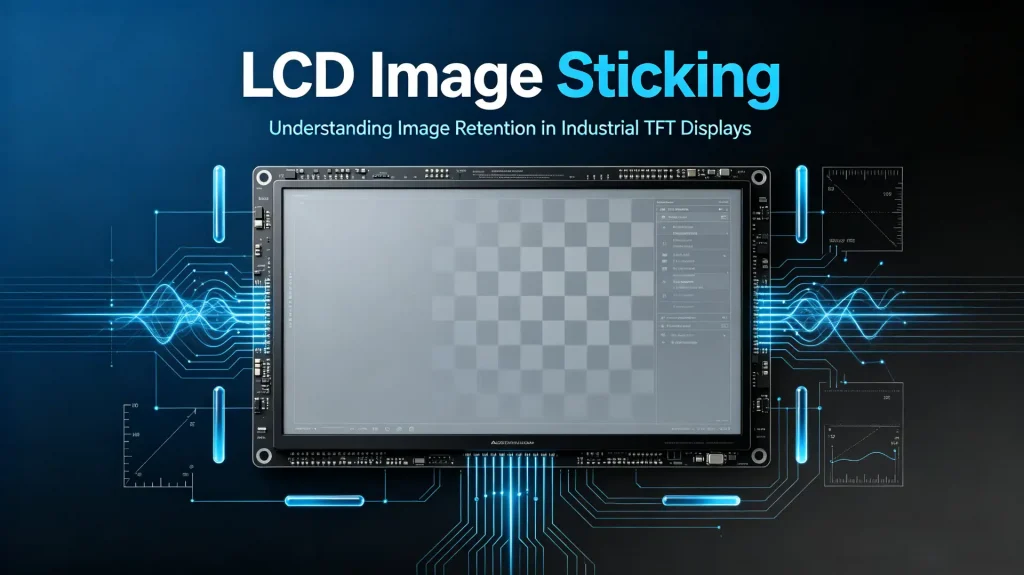
Put simply: LCD image sticking is when a previously displayed image stays faintly visible after the content changes. You’ll also hear it called image retention, image persistence, or ghost image — same phenomenon, different names.
Key point: this is not permanent damage. The panel isn’t broken. The residual image usually fades once you play moving content or let the display rest for a while, as covered in technical documentation discussing image persistence and temporary ghost-image behaviour.
What’s actually happening is a temporary change inside the LCD cell — not degradation of the display itself. Worth keeping that distinction in mind, because it changes how you think about fixing it.
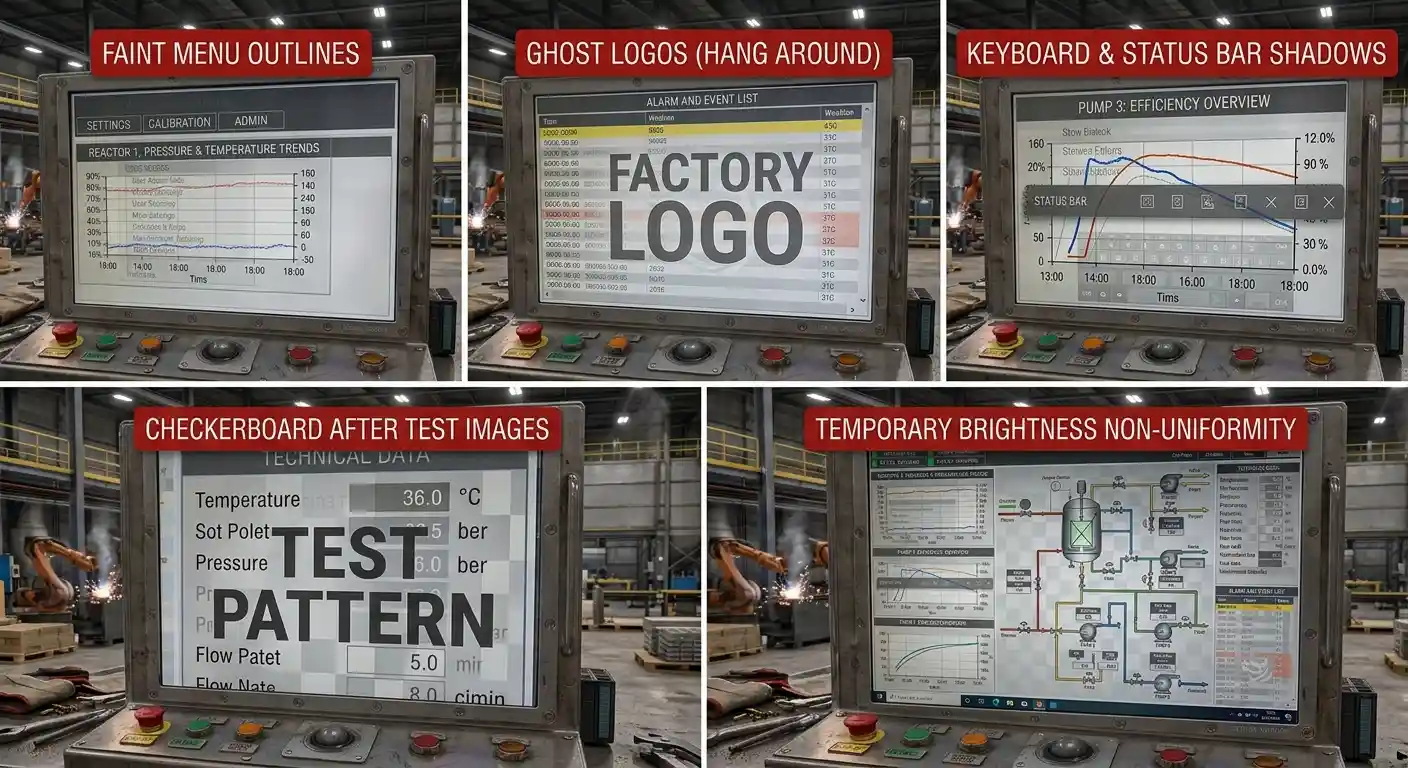
Typical symptoms you’ll see in the field:
- Faint outlines of previous menus
- Ghost logos that hang around after screen switching
- Shadows of keyboards or status bars
- Checkerboard patterns lingering after test images
- Temporary brightness non-uniformity
Now, where does this actually bite? Displays that sit on static content for a long time:
- Medical equipment
- Industrial HMI terminals
- POS terminals
- Digital signage
- Automotive displays
- Laboratory instruments
- Factory automation systems
Here’s the uncomfortable math: these applications often show the same interface for thousands of hours. That’s exactly the condition image sticking thrives on. So during display selection, this stops being a nice-to-know topic and becomes a hard reliability requirement.
Different Types of LCD Image Sticking
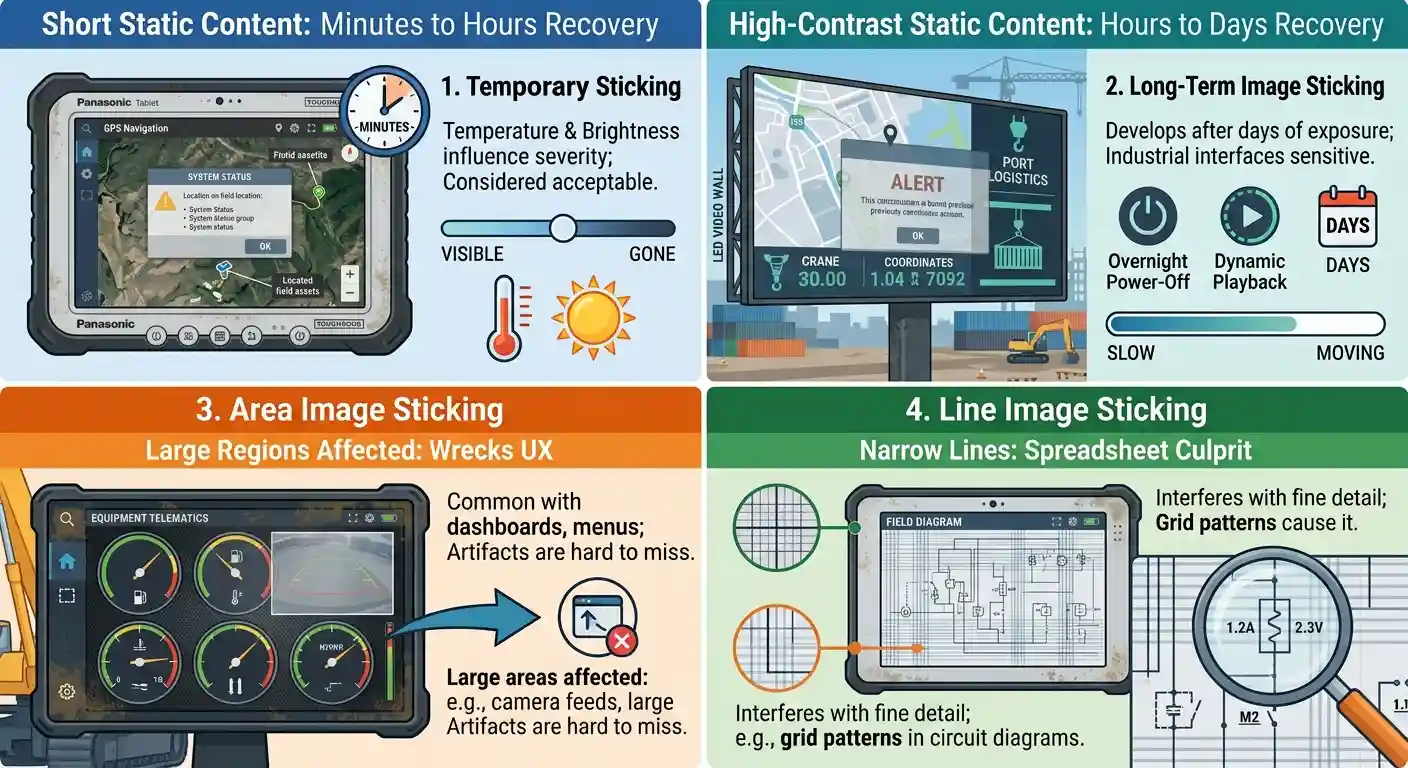
Not all image sticking behaves the same. In practice, engineers classify it by recovery time and appearance. Four rough buckets:
1. Temporary Image Sticking
This is what you get after a static image sits for a relatively short period. The good news? It’s usually gone within minutes to a few hours. No permanent damage. It’s the most common form in daily operation — and temperature and brightness both play a role in how bad it looks.
For most LCD technologies, this level is considered acceptable within limits.
2. Long-Term Image Sticking
Now this one’s nastier. It develops after prolonged display of high-contrast static content — think days, not hours. Recovery might take:
- Several hours
- An overnight power-off
- Continuous dynamic image playback
In severe cases, days. And here’s the thing that makes industrial applications especially sensitive: many interfaces don’t change for months, sometimes years. That’s a worst-case scenario for this type.
3. Area Image Sticking
Large regions of the display show a retained image. Dashboard backgrounds, navigation panels, white windows, static application interfaces — the usual suspects.
Because the affected areas are big, these artifacts are hard to miss. And they wreck the user experience fast.
4. Line Image Sticking
Instead of whole areas, only narrow horizontal or vertical lines stay visible. Typical culprits:
- Grid patterns
- Menu separators
- Spreadsheet applications
- Industrial monitoring software
Small in size, sure. But line image sticking can seriously interfere when you’re trying to read fine detail on a spreadsheet or a monitoring dashboard.
How Does a TFT LCD Work?
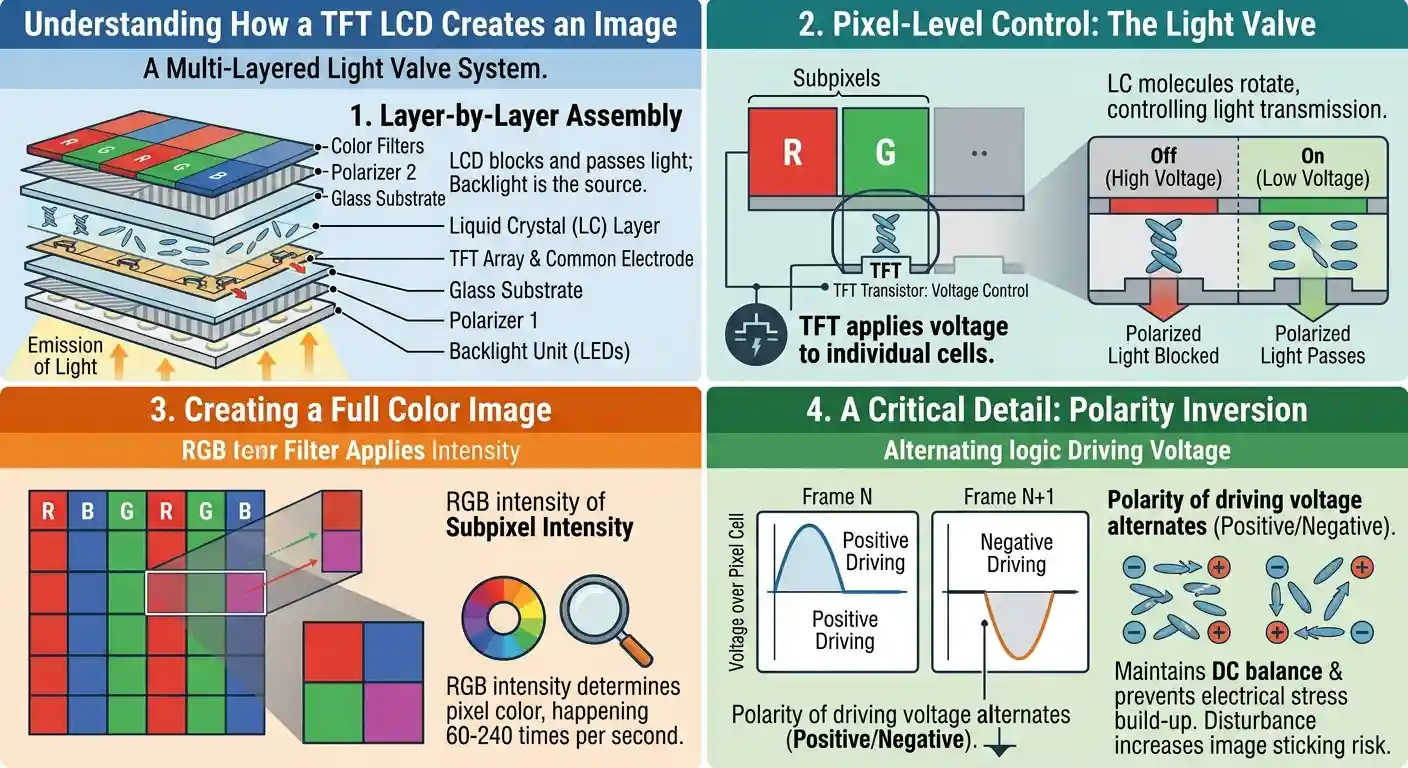
Before we get into why image sticking happens, it helps to understand how a TFT LCD makes an image in the first place.
Here’s the fundamental difference: LCD panels don’t emit light. OLEDs do. An LCD just blocks and passes light from a backlight.
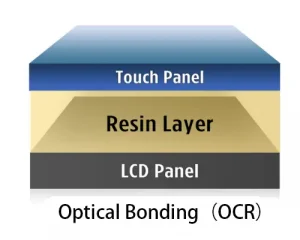
Think of it as several layers working together:
- LED backlight
- Light guide plate
- Polarizers
- TFT array
- Liquid crystal layer
- Color filters
- Protective cover glass (optional)
The TFT transistors control the voltage applied to each liquid crystal cell. When the electric field is applied, the liquid crystal molecules rotate, which controls how much light gets through the polarizers. This happens for every pixel on screen — typically 60 to 240 times per second.
Now, a critical detail: under normal operation, the polarity of the driving voltage alternates — positive, negative, positive, negative. This maintains DC balance and stops electrical stress from building up inside the liquid crystal layer.
Disturb that balance, or leave static images up for too long, and image sticking becomes much more likely. That’s the setup. Now let’s get into the mechanisms.
Why Does LCD Image Sticking Occur?
Here’s a misconception worth killing early: image sticking isn’t caused by a single factor. It’s several physical and electrical mechanisms working together. Break it down:
1. Liquid Crystal Memory Effect
One of the major mechanisms associated with LCD image sticking is the interaction between residual DC voltage, liquid crystal materials, and the alignment layer. When the image changes, those slow molecules keep influencing light transmission, and you get a faint residual image. The silver lining: this is usually reversible.
2. Charge Accumulation
Think of every LCD pixel as a tiny capacitor. If static content stays up too long, residual electrical charge can accumulate around the pixel electrodes.
Those trapped charges subtly alter the effective electric field, so neighboring pixels respond differently even after the image changes. This is one of the most widely accepted explanations for temporary image retention — and it matches what engineers see in practice.
3. DC Voltage Imbalance
Modern TFT LCDs rely on alternating positive and negative driving voltages. Ideally, the average DC voltage across every pixel stays close to zero.
But if that balance is lost — wrong timing, VCOM mismatch, driver misconfiguration, panel aging — a small residual DC component develops. Leave it alone for thousands of operating hours, and image sticking gets noticeably worse.
This is why DC balancing is one of the most critical considerations in LCD driver design. Not a checkbox. A real design requirement.
4. VCOM Drift
VCOM — the common electrode voltage — directly affects pixel voltage symmetry. If it shifts (temperature, aging, bad calibration), some pixels get slightly different effective voltages than intended.
Result: brightness inconsistencies and higher susceptibility to image retention. That’s why industrial-grade TFT LCD modules often have tighter VCOM control. It’s a deliberate design choice for long-term stability.
5. TFT Leakage Current
Every TFT transistor is supposed to hold its pixel charge until the next refresh cycle. But every transistor also leaks a little.
As the panel ages — or runs hot — leakage characteristics change, pixel behavior becomes uneven, and image sticking increases over time. It’s a slow, creeping degradation, not a sudden failure.
6. Temperature Effects
Temperature matters a lot with liquid crystals.
- High temps: molecules move faster, but charge leakage and material stress also increase.
- Low temps: molecular recovery slows down, making temporary image retention more obvious.
Industrial LCD modules are typically optimized for extended operating temperature ranges specifically to keep these effects in check.
Many of these root mechanisms are explained in greater depth within published resources covering ionic charge trapping and residual DC voltage mechanisms within LCD cells.
How Engineers Test LCD Image Sticking
Knowing what image sticking is gets you partway. To actually qualify a panel, engineers run standardized tests that simulate real-world conditions and measure how fast the display recovers. Acceptance criteria vary by manufacturer, but the principles are pretty consistent.
1. Checkerboard Pattern Test
The workhorse. Here’s the typical procedure:
- Display a high-contrast black-and-white checkerboard.
- Keep it up for a set period — commonly 1, 4, 12, or 24 hours.
- Switch immediately to a uniform 50% gray image.
- Check whether any checkerboard pattern remains visible.
- Measure how long the residual image takes to fully disappear.
Why checkerboard? It creates maximum voltage differences between neighboring pixels — a worst-case stress for the liquid crystal cells. If a panel survives this, that tells you a lot.
2. Static UI Test
Industrial products don’t run checkerboards in real life, obviously. So engineers also test with actual application interfaces:
- Medical monitoring screens
- PLC control panels
- POS software
- Navigation systems
- Instrument dashboards
These interfaces stay static for long stretches, which makes this a much more realistic assessment of long-term image retention.
3. Gray Uniformity Observation
After the stress image is removed, a uniform gray background is displayed. Why gray? Simple: the human eye is especially sensitive to slight luminance variations around middle gray. A 50% gray screen reveals residual images far more clearly than white or black.
That’s why 50% gray is the standard for visual inspections. It’s not arbitrary — it’s where the eye is most discriminating.
4. Instrument-Based Measurement
For high-end industrial or automotive projects, eyeballing it isn’t enough. Engineers bring in hardware:
- Luminance meters
- Colorimeters
- Imaging photometers
- CCD camera systems
These quantify brightness differences before and after the stress test — objective numbers you can compare across panels, instead of “looks fine to me.”
LCD Image Sticking vs. OLED Burn-In
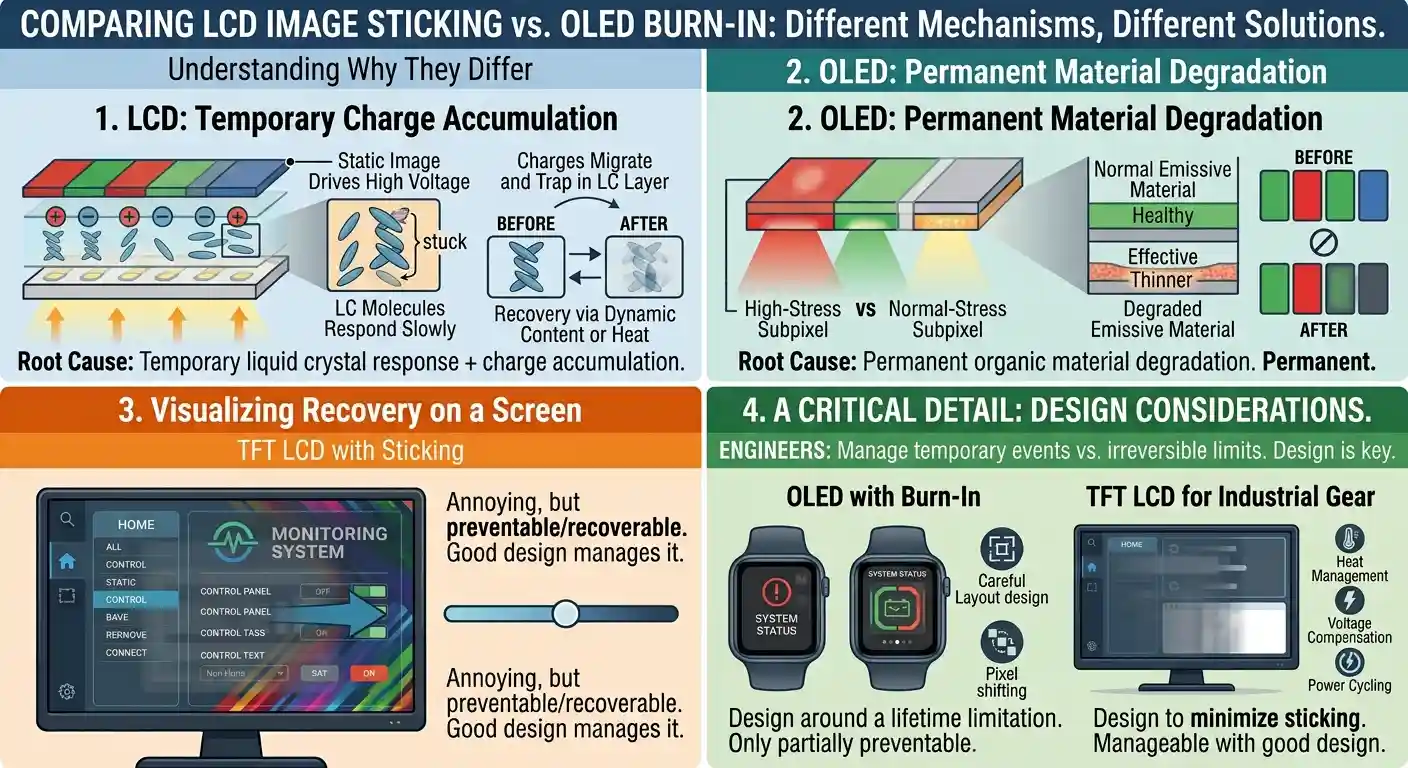
People mix these up all the time, and I get it — both leave a “ghost image” on screen. But the mechanisms couldn’t be more different.
| Feature | TFT LCD Image Sticking | OLED Burn-In |
| Root Cause | Temporary liquid crystal response + charge accumulation | Permanent organic material degradation |
| Permanence | Usually temporary | Permanent |
| Recovery | Yes, in most cases | No |
| Typical Applications | Industrial displays, monitors, laptops | Smartphones, TVs, wearables |
| Preventable | Yes | Only partially |
Here’s the key distinction: an LCD panel doesn’t permanently damage its pixels during image sticking. The liquid crystal layer just responds more slowly than usual, thanks to electrical and material effects. Annoying, but recoverable.
OLEDs are a different story. Their pixels emit light directly, so when some pixels stay brighter than others for a long time, the organic emissive materials age unevenly. That’s permanent. No recovery. It’s a lifetime limitation baked into the technology.
For engineers choosing displays for industrial gear, this matters a lot: a temporary image retention event in an LCD is manageable through good design. OLED burn-in? You have to design around it from the start.
Factors That Increase Image Sticking
A few operating conditions can significantly raise the odds of image retention. Worth knowing them all, because some are within your control.
Long Display of Static Images
The #1 cause, by far. Same interface for hours or days straight. Think factory HMIs, elevator displays, medical monitors, digital kiosks, POS terminals. This is the baseline condition that makes everything else worse.
High Brightness
Running continuously at maximum backlight brightness heats up the panel, accelerates material aging, and can aggravate image sticking over time. Rule of thumb: use only the brightness the application actually needs. Your display will thank you in year three.
Elevated Operating Temperature
Higher temps mean higher leakage current and altered liquid crystal characteristics. Industrial TFT LCDs are built for wide operating ranges, but excessive heat still accelerates aging and raises retention risk. There’s no free lunch.
Incorrect Driving Parameters
VCOM, refresh frequency, polarity inversion, source driver timing — misconfigure any of these and you can introduce a residual DC component across the pixels. Even a small DC imbalance, accumulated over thousands of hours, noticeably increases image sticking.
Panel Aging
As modules age, electrical characteristics drift: TFT leakage current, liquid crystal response time, polarizer performance, alignment layer stability. Aging is unavoidable — but high-quality industrial panels are engineered to minimize its impact over the product lifecycle. That’s part of what you’re paying for.
Engineering Solutions to Reduce LCD Image Sticking
Can you eliminate image sticking entirely? Usually not. But you can reduce it significantly — through panel selection, circuit design, firmware, and system-level engineering. Here’s the toolkit:
1. Maintain Proper DC Balance
One of the most effective strategies: make sure every pixel experiences zero average DC voltage over time. Achieved through polarity inversion schemes like:
- Frame inversion
- Line inversion
- Dot inversion
- Column inversion
A well-designed inversion method spreads electrical stress evenly across the display and minimizes residual charge accumulation. It’s the foundation everything else builds on.
2. Optimize VCOM Calibration
VCOM directly affects voltage symmetry across the liquid crystal layer. Manufacturers typically fine-tune it during production for better uniformity, lower flicker, and reduced image sticking. For custom projects, VCOM optimization can also be done during system integration — worth pushing for if you have that option.
3. Implement Pixel Shifting
Here’s a neat trick: periodically shift the displayed image by one or two pixels. Users barely notice the movement, but it distributes electrical stress across the panel without affecting readability. Especially effective for fixed graphical interfaces.
4. Enable Screen Saver or Sleep Mode
The simplest lever: don’t display the same image continuously. Options include:
- Automatic screen savers
- Interface rotation
- Display sleep during idle periods
- Automatic brightness reduction
Software measures, sure — but simple and highly effective. Sometimes the easy answers are the right ones.
5. Use Dynamic Content
Replace static interfaces with small animated elements. Moving status indicators, animated loading icons, periodically refreshed dashboards, rotating information panels. Even subtle changes help prevent localized charge accumulation.
6. Select Industrial-Grade TFT LCD Modules
Industrial TFT LCDs are purpose-built for long operating hours and harsh environments. Compared with consumer-grade panels, they typically offer:
- Better liquid crystal materials
- More stable alignment layers
- Tighter VCOM control
- Wider operating temperatures
- Longer availability
- More rigorous reliability testing
If your product runs 24/7, this is where the money goes. Consumer panels will save you upfront — and cost you in field returns.
Best Practices for Product Designers
Designing a product around a TFT LCD? These recommendations will save you headaches down the road:
- Avoid fixed high-contrast images for extended periods.
- Cut unnecessary maximum-brightness operation.
- Configure the display driver per the manufacturer’s recommendations. They know their panel better than you do.
- Validate VCOM and timing during prototype development — not after production starts.
- Build screen protection into firmware.
- Test image retention at your expected operating temperatures.
- Run long-duration reliability tests before mass production.
One more thing: consider image sticking during the design phase, not after problems show up in the field. Retrofit fixes are always more expensive than design-time decisions.
Choosing a TFT LCD Supplier for Long-Term Reliability
Image sticking depends on more than the LCD technology itself. The manufacturer’s design capability and quality control matter just as much — sometimes more.
When you’re evaluating a supplier, ask pointed questions:
- Has this panel been tested for image sticking?
- What operating conditions were used in testing?
- What are the recommended VCOM and driving parameters?
- Does the supplier offer engineering support for display tuning?
- Is the panel designed for industrial continuous operation?
- Can they provide customized firmware or display optimization?
A supplier who can answer these questions with actual technical evidence — datasheets, test reports, real engineering dialogue — is generally better equipped to support long-life industrial applications. Vague answers? That’s a red flag.
At Rocktech, our engineering team works with OEM customers throughout the design process: display selection, interface integration, signal optimization, long-term reliability evaluation. Industrial-grade TFT LCD modules plus application-specific engineering support — that combination is what helps customers reduce display risk and improve reliability across the product’s entire lifecycle.
Frequently Asked Questions (FAQ)
Is LCD image sticking permanent?
No. In most cases it’s temporary, and it gradually disappears after displaying dynamic content or letting the panel rest.
How long does image sticking last?
Depends on the severity, the operating temperature, and the panel design. Could be a few minutes, could be several hours.
Can image sticking damage my LCD?
Temporary image sticking doesn’t permanently damage the display. That said, repeatedly running unfavorable conditions can make retention more frequent and more visible over time.
Which LCD technology is least susceptible to image sticking?
Honest answer: none are fully immune. Modern IPS, VA, and TN panels can all show temporary image retention under certain conditions. Severity depends more on panel design, materials, driving methods, and manufacturing quality than on the panel type alone.
Can software reduce image sticking?
Yes. Screen savers, pixel shifting, dynamic UI elements, automatic sleep mode, and brightness management are all widely used to reduce retention in long-running systems.
Conclusion
Let’s pull it together. LCD image sticking is a temporary display phenomenon — the result of liquid crystal behavior, electrical charge accumulation, driving conditions, and environmental factors all working together. Unlike OLED burn-in, it’s generally reversible, and you can minimize it with thoughtful hardware design, optimized driving parameters, and smart software.
For engineers, understanding DC balance, VCOM calibration, and charge accumulation isn’t academic — it’s the foundation for building reliable display systems.
For OEMs and purchasing teams, picking a supplier with proven engineering expertise, industrial-grade technology, and real technical support is just as important.
And here’s the broader point: as industrial applications demand longer operating hours and higher reliability, preventing image sticking has to start at the earliest stages of product development. Not as a post-production problem to be fixed later.
Evaluating TFT LCD modules for a new project, or troubleshooting image retention in an existing design? Working with an experienced display partner can cut development risk significantly — and improve long-term performance where it counts.