Control Panel Design for Industrial Equipment
A control panel is the part of a machine or system where an operator checks status, changes settings, and issues commands. In industrial equipment, the operator-facing panel may combine a display, a touchscreen, and physical controls. Its design starts with what the operator needs to see and do when the machine is running, stopped, or waiting for a fault to be cleared.
This topic is for equipment designers, controls engineers, and product teams specifying an operator interface for a new machine or replacing one on existing equipment. Key decisions include which functions belong on the screen, how the interface communicates with the machine controller, and how the assembly fits the enclosure.
Separate Operator Tasks from Machine Control
List the actions an operator performs during a normal shift and during a fault. A packaging machine might need a prominent run status, a clear explanation of why the line stopped, and a way to request a restart. If the machine has a programmable logic controller (PLC), define which values the panel reads and which commands it sends. Show the state reported by the controller after a command so the display does not present an unconfirmed request as a completed action.
Decide which functions require dedicated physical controls. Emergency stop and other safety functions need an appropriate safety design for the machine. A button drawn on an ordinary touchscreen should never be treated as a substitute for a safety-rated emergency stop. For routine controls, try the intended layout with operators wearing their usual gloves and standing where they actually work.
Choose the Display and Host Board Together
Evaluate the display at the planned mounting height and viewing angle. A screen that looks clear on a workbench can pick up reflections from overhead lights once it is tilted into position. Use the final cover glass and a representative interface to check small labels, alarm colors, and touch targets. If the control panel will be used during cleaning, test for unintended touches and verify the behavior of any cleaning mode.
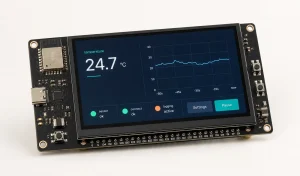
When selecting an industrial TFT display, check the active area, module outline, connector position, and backlight power requirements. For a custom embedded HMI built around a single-board computer, check whether the board and its software support the exact panel interface, timing, and touch controller. Bring up the actual display and touch assembly before locking the cable length or the enclosure layout.
Test the Assembled Panel Under Operating Conditions
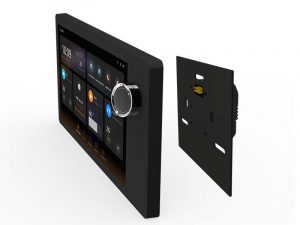
Leave room behind the front panel for connectors, cable bends, and service access. If the enclosure relies on a gasket, check how the mounting hardware compresses it and evaluate sealing on the assembled unit. Measure temperatures inside the enclosure with the display at the intended brightness and the host board running its normal workload. A bench test with the rear cover removed misses the effect of trapped heat.
Finally, test what the control panel shows during startup, after a power interruption, and when communication with the machine controller drops. Mark stale values as unavailable so operators can distinguish a lost connection from a steady process. After reconnection, verify that the screen displays the current machine state and that any pending commands are handled as intended.