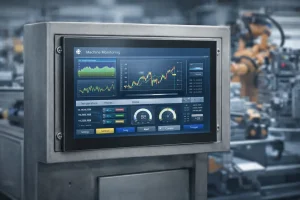
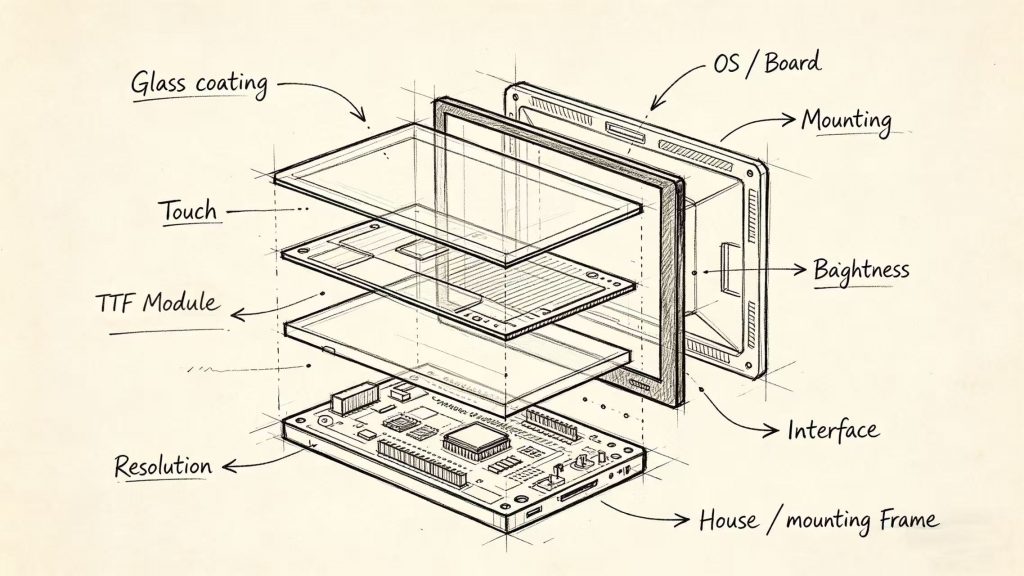
Industrial environments often place higher demands on display systems than standard applications. From factory floors to outdoor kiosks, displays need to remain clear, stable, and easy to use over long periods of operation. This is where industrial LCD monitors are commonly used, as they are designed to handle more demanding conditions while maintaining consistent performance.
In practice, however, no two projects are exactly the same. Different equipment comes with different requirements—whether it’s screen size, interface compatibility, or environmental protection. Because of this, customization has become an important part of integrating display solutions into industrial systems.
In this article, we’ll take a closer look at how industrial LCD monitors can be customized, including the key options and considerations that help businesses build solutions that fit their specific applications.
Industrial LCD Monitors – Understanding the Core Technology
Before getting into details, it helps to understand what sets industrial LCD monitors apart from standard consumer displays. In many cases, the difference becomes obvious once they are used in real industrial environments.
Industrial monitors are built with durability and long-term operation in mind. Unlike consumer displays, which are typically used in controlled indoor settings, they are designed to handle more demanding conditions—such as higher temperatures, dust, and occasional exposure to moisture or vibration.
Key features of industrial LCD monitors include:
| Feature | Description | Typical Specification |
|---|---|---|
| Screen Size | Wide range from 3.5” to 15.6” | 3.5″–15.6″ diagonal |
| Resolution | Supports high clarity for detailed data | 320×240 to 1920×1080+ |
| Brightness | Enhanced for outdoor or well-lit environments | 350–1000 nits |
| Interface | Multiple options to fit industrial controllers | SPI, RGB, MIPI, LVDS, EDP |
| Operating Temperature | Designed for extreme conditions | -20°C to 70°C typical |
| Protective Coating | Prevents scratches and contamination | Anti-glare, anti-fingerprint, IP65/IP67 |
These differences become more apparent in real-world applications. In industries such as manufacturing, logistics, transportation, and medical equipment, displays are often expected to run continuously and remain stable under less controlled conditions. In many cases, standard monitors struggle to maintain performance over time, especially when exposed to long operating hours or more demanding environments.
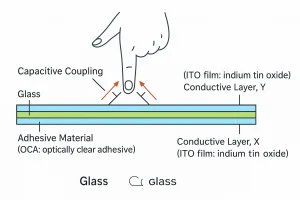
Industrial LCD monitors are designed with these challenges in mind. They typically support features such as touch interaction—whether resistive or capacitive—and are built for longer product lifecycles. This makes them suitable for a wide range of applications, both indoors and outdoors, where reliability and consistency are important.
Custom Industrial LCD Monitors – Tailoring Solutions to Your Needs
In many projects, standard monitors don’t always fit the actual requirements. This is especially noticeable once the display needs to be integrated into a specific piece of equipment, rather than used as a standalone screen. Space constraints, interface compatibility, and mounting limitations can all make off-the-shelf options difficult to use in practice.
This is where custom industrial LCD monitors become more practical. Instead of adapting the system to match a standard product, the display can be designed to fit the application from the beginning. In many cases, this helps simplify integration and avoids additional adjustments later in the project.
For example, some applications require precise alignment with mechanical structures, while others may need a specific screen size, resolution, or layout to display key information clearly. There are also situations where interface requirements—such as LVDS, HDMI, or USB—must match an existing embedded system. When these factors are involved, standard monitors often require compromises, which can affect usability or system stability over time.
In practice, customization is often less about adding extra features and more about making sure everything works together as expected. A display that fits well from the start usually leads to a smoother development process and fewer issues during long-term operation.
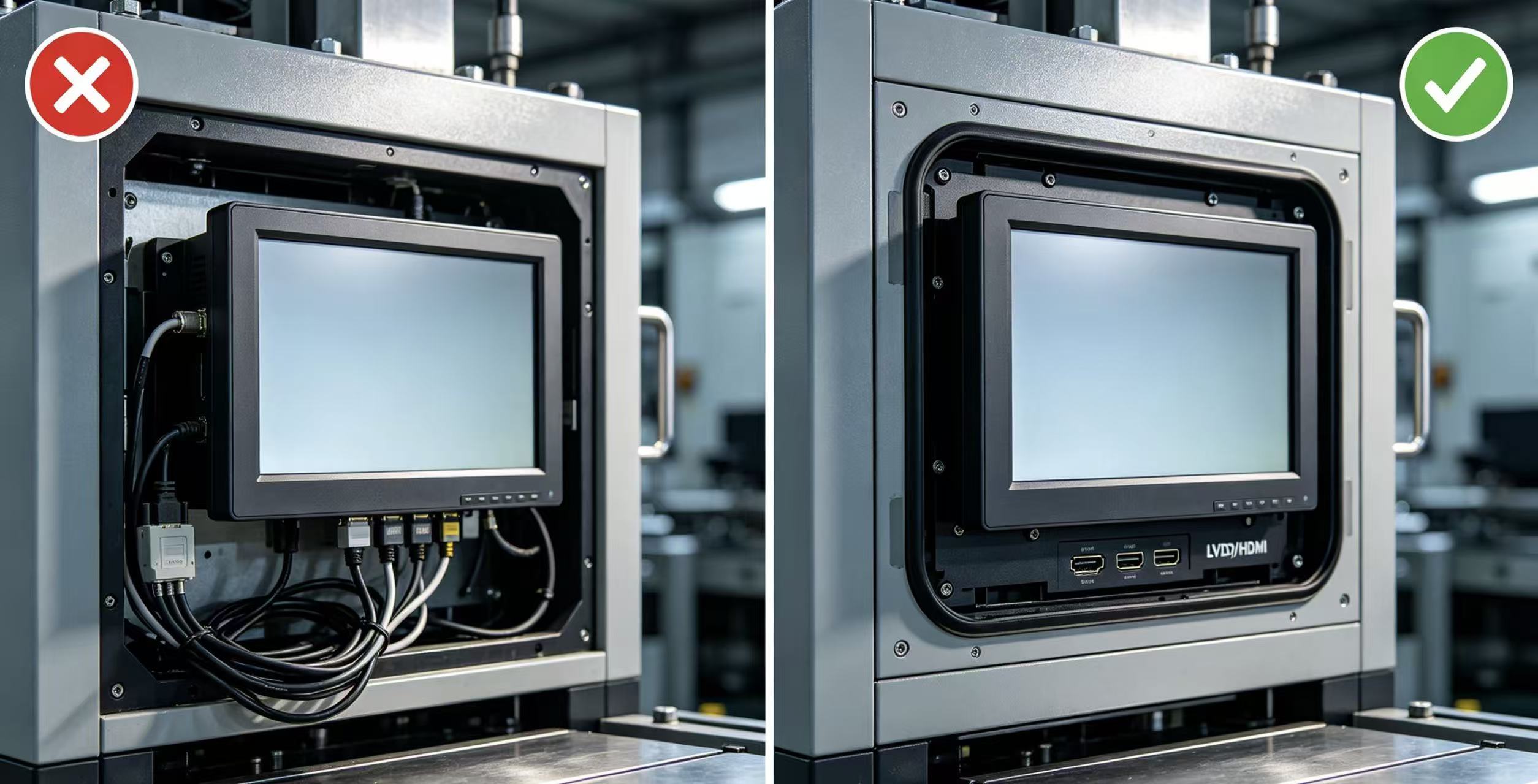
Key areas of customization include (Evaluation needed):
- Size and Aspect Ratio – Businesses can choose from standard or custom screen sizes depending on the available space and user visibility requirements.
- Touchscreen Options – Depending on the workflow, companies can select resistive, capacitive, or multi-touch panels, optimizing the human-machine interface.
- Interface Customization – Interfaces can be tailored to match the client’s hardware. Popular options include LVDS, MIPI, SPI.
- Cover Glass Thickness & Impact Rating – By adjusting the thickness of the cover glass, the display can achieve higher impact protection levels (e.g., IK-rated), improving durability for industrial use.
- Logo and Branding – OEM/ODM options allow businesses to brand the monitors with custom logos and design elements.
Example: Customization Table for a Typical Project
| Parameter | Standard Option | Custom Option |
|---|---|---|
| Screen Size | 10.1″ | 12.1″ with specific cover glass dimensions |
| Touch Type | 5-point Capacitive | 10-point Projected Capacitive |
| Interface | VGA | LVDS + HDMI |
| Module Fixing Method | metal frame mounting | Adhesive mounting |
| Branding | None | Custom Logo on Front Panel |
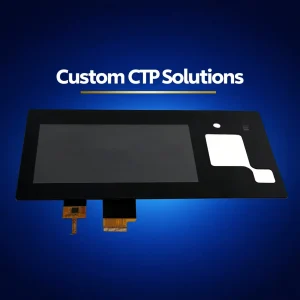
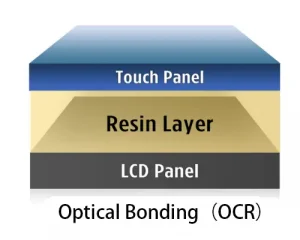
We can offer customization services like backlight, FPC, cover glass, PCAP touch and optical bonding. We can also customize the CTP including cover glass dimensions, shape, thickness, surface treatment, and more according to customers’ needs. By providing these customizations, manufacturers ensure that the industrial LCD monitors not only function efficiently but also align with operational standards, ergonomic requirements, and brand identity.
Industrial Display Customization – Exploring Technical Flexibility
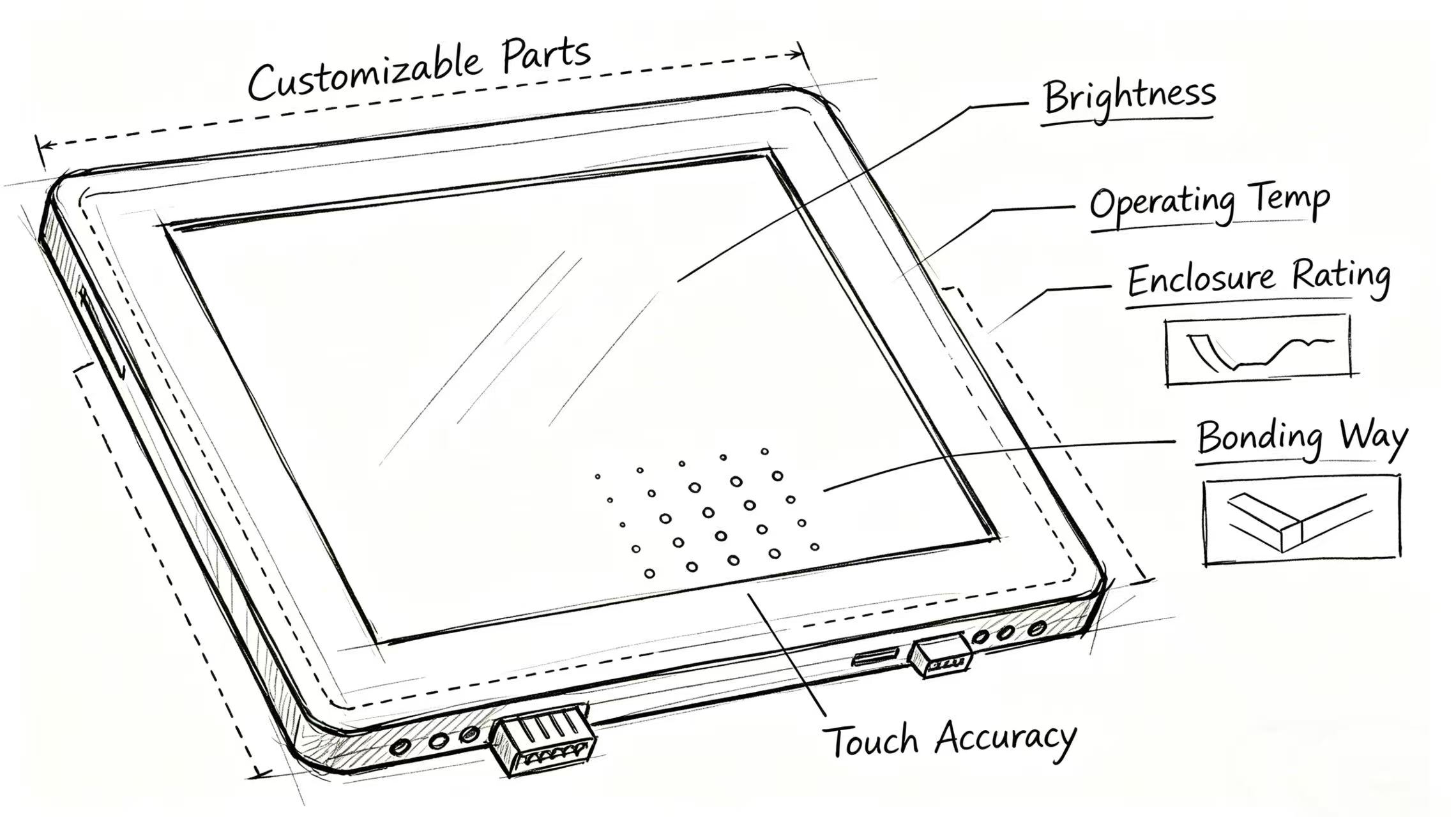
In many projects, customization often comes down to a few practical adjustments that help the display work better within the system. These typically involve areas such as protection, visibility, system compatibility, and installation, depending on the application.
1. Protective Coatings and Glass Options
In industrial environments, displays may be exposed to impact, scratches, or even chemicals. To handle this, options such as strengthened glass, anti-reflective coatings, or IK-rated cover glass are often considered, depending on the application.
2. Brightness and Color Calibration
For outdoor use or brightly lit factory settings, higher brightness is usually required to maintain readability. In some cases, brightness and color are also adjusted to match the working environment, so information remains clear during operation.
3. Embedded Systems and Software Integration
Displays are often connected to embedded platforms, so compatibility becomes important. In practice, controller boards or firmware may be adapted to match the system, helping reduce integration effort and avoid issues during deployment.
4. Mounting Options
Mechanical integration is another key factor. Common mounting methods such as VESA or panel mount are selected based on the equipment design, making installation more straightforward.
5. Compliance and Certification
For certain industries, certifications like CE, UL, or FCC may be required. These depend on the final product and application, but are often considered early in the design stage.
Sample Performance Table for Custom Industrial Displays
| Parameter | Standard | Custom Option | Benefit |
|---|---|---|---|
| Brightness | 500 nits | 1000 nits | Visibility in direct sunlight |
| Touch Accuracy | ±2 mm | ±0.5 mm | Precision in control applications |
| Operating Temp | -20–57°C | -30–80°C | Suitability for extreme environments |
| Enclosure Rating | IP54 | IP67 | Dust & water resistance |
| Bonding Way | Air bonding | Optical bonding | Better visibility and durability |
This level of industrial display customization helps ensure that the monitor fits the actual requirements of the application, whether in terms of performance, environment, or overall integration. In practice, a well-matched display often makes a noticeable difference—not just during installation, but also in day-to-day operation.
When the display is designed with these factors in mind, it tends to be easier to integrate and more stable over time, reducing the need for adjustments or replacements later on.
Rugged LCD Displays – Building for Harsh Environments
Rugged LCD displays are a specialized type of industrial monitor designed for use in environments where standard displays would not hold up well over time. In many cases, these applications involve continuous exposure to challenging conditions such as vibration, temperature changes, dust, or heavy usage.
Because of this, they are often used in industries like manufacturing, mining, transportation, and other field-based operations where equipment reliability is critical. In practice, the goal is not only to keep the display running, but also to ensure stable visibility and interaction under less controlled working conditions.
Key features of rugged industrial LCD displays include:
- Temperature Tolerance: Operate under -30°C to 80°C for outdoor and extreme environments.
- Impact-Resistant Cover Glass: Optional IK-rated cover glass (e.g., IK07/IK08) enhances durability for industrial environments.
- Ingress Protection: IP65, IP66, or higher ratings for dust and water protection.
- Anti-Glare and Anti-Reflective Coatings: Optimized for visibility under bright lights or sunlight.
Case Example: Rugged vs Standard LCD Monitors
| Feature | Standard Industrial LCD | Rugged LCD Display |
|---|---|---|
| Operating Temp | -20–70°C | -30–80°C |
| Surface Treatment | None | Anti-Glare, Anti-UV, AF |
| Dust/Water Protection | IP54 | IP66 |
| Glass | standard | IK10(6 mm CG), Gorilla Glass |
| Brightness | 400–500 nits | 800–1500 nits |
Because of these demanding conditions, using rugged LCD displays can make a clear difference in day-to-day operation. In many cases, equipment is expected to run continuously, and even a small display failure can interrupt the entire system. By choosing displays designed for these environments, companies can reduce unexpected downtime and avoid frequent maintenance or replacement.
At the same time, ruggedness alone is often not enough. In real projects, displays still need to match specific system requirements. This is where customization comes into play. Factors such as screen size, interface type, touch technology, and brightness are often adjusted based on how and where the equipment is used.
In practice, the goal is to balance durability with usability. A well-designed solution not only withstands harsh conditions, but also integrates smoothly into the system and remains easy for operators to use. This combination is what defines an effective rugged display in industrial applications.
High Brightness Industrial Monitors – Optimized for Visibility
In many industrial environments, strong ambient light can make standard displays difficult to read. This is especially common in outdoor installations or brightly lit factory settings. High brightness industrial monitors are used to improve visibility, helping operators read system information more clearly and respond more efficiently during operation.
Applications for high brightness monitors include:
- Outdoor kiosks and signage
- Manufacturing floor dashboards
- Vehicle-mounted control panels
- Medical imaging or laboratory monitoring
Brightness Specification Comparison
| Monitor Type | Typical Brightness | Recommended Environment |
|---|---|---|
| Standard Industrial LCD | 400–500 nits | Indoor, moderate lighting |
| High Brightness Industrial Monitor | 1000–1500 nits | Outdoor or high ambient light |
| Ultra High Brightness | 2000+ nits | Direct sunlight, outdoor displays |
High brightness monitors can also be combined with anti-reflective coatings and advanced touch technology, ensuring usability even in the harshest visual conditions. Custom solutions allow for tailored brightness, contrast, and color calibration to match the operational requirements.
Conclusion
In practice, industrial LCD monitors are not just simple display units. They play an important role in how operators interact with equipment and manage daily operations. By using custom industrial LCD monitors, companies can better match the display to their actual application—whether it’s improving durability, adjusting brightness for outdoor use, or ensuring compatibility with existing systems. This often makes a noticeable difference in long-term stability and usability.
In many projects, factors such as brightness, touch capability, and integration are adjusted based on specific requirements. With the right approach to industrial display customization, displays can support more efficient operation and help reduce unexpected downtime over time.
When selecting industrial displays, factors like the operating environment, system integration, and long-term maintenance usually need to be considered early in the project. In many cases, these details have a direct impact on how stable the system will be over time. Customization helps make the display better suited to the actual application, rather than trying to adapt a standard product. This often leads to smoother integration and more reliable performance in day-to-day use.
As industrial display technology continues to develop, more flexible and reliable solutions are becoming available. In practice, this gives equipment manufacturers more options when designing systems for different applications. Companies that choose customized solutions early on often find it easier to adapt to new requirements later, especially as system complexity increases.
FAQ
What is the difference between an industrial LCD monitor and a standard LCD monitor?
An industrial LCD monitor is designed for longer operating hours, wider temperature ranges, stronger mechanical integration, and more demanding environments. Compared with standard consumer displays, it usually offers better durability, interface flexibility, touch options, brightness control, and lifecycle stability for industrial equipment.
Can industrial LCD monitors be customized for specific equipment designs?
Yes. Industrial LCD monitors can be customized in areas such as screen size, cover glass shape and thickness, touch panel type, brightness, interface, FPC design, backlight, mounting method, logo, and optical bonding. The exact customization depends on the mechanical, electrical, and environmental requirements of the project.
When should a project use a high brightness industrial monitor?
A high brightness industrial monitor is recommended when the display is used outdoors, near windows, under strong factory lighting, or in any environment where a standard 400–500 nit display is difficult to read. Brightness levels of 800 nits, 1000 nits, or higher are commonly considered for outdoor or high ambient light applications.
What factors should be checked before selecting a rugged LCD display?
Before selecting a rugged LCD display, engineers should check the operating temperature, brightness, touch performance, cover glass strength, IP rating, mounting method, interface compatibility, enclosure design, vibration exposure, and certification requirements. These factors help ensure the display can operate reliably in the final application environment.