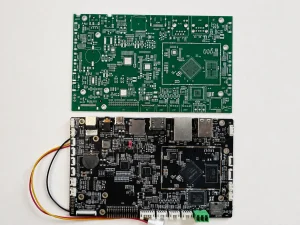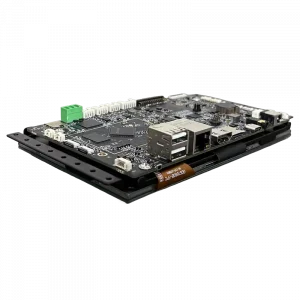
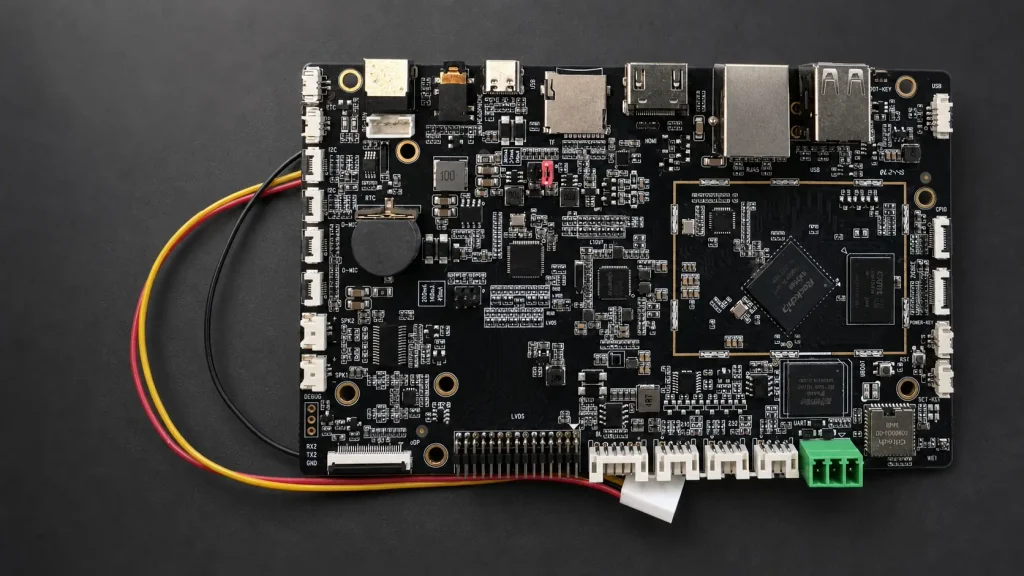
An Android PCBA is the assembled main board inside an Android-based product. Unlike a bare PCB, it already carries the processor, memory, storage and power circuitry. It normally includes the SOC, DDR memory, storage, power circuits, Ethernet, WIFI, UART and interfaces needed by the final device. Load the matching Android image, and the board becomes the computing core of an industrial HMI, access terminal or smart appliance.
The phrase is sometimes used loosely. A supplier may use “Android PCBA” or “Android SBC” to describe only the populated hardware, while another supplier includes the Android board support package, drivers and basic system testing. That difference should be clarified before a quotation is approved.
What Makes a PCBA an Android PCBA?
Fitting an ARM SoC is not enough. The processor, memory, PMIC, display path and peripheral devices must all be supported by the same Android BSP. The hardware must be compatible with an Android software package built for the selected SoC and peripheral devices.
In most projects, an Android PCBA is based on an application processor from a platform such as Rockchip, Allwinner, NXP or Qualcomm. The memory may be DDR3, DDR4 or LPDDR4, depending on the processor and bandwidth target. An eMMC device normally stores the Android system image, applications and local data. The board may also include Wi-Fi, Bluetooth, Ethernet, audio, camera inputs and one or more display interfaces.
| Part of the Design | What It Does | Common Engineering Concern |
|---|---|---|
| SoC | Runs Android and processes application data | Performance, BSP availability, thermal limits and long-term supply |
| DDR memory | Provides working memory for the system | Capacity, Supported memory type, routing and boot stability |
| eMMC | Stores Android, applications and user data | Capacity, speed and write endurance |
| Display interface | Connects an LCD or external monitor | Resolution, timing and driver compatibility |
| PMIC | Generates and sequences the required voltages | Power sequencing, suspend/resume behavior and peak current |
The Board Is Only Half of the Product
A finished assembly can have every component soldered correctly and still fail to reach the Android home screen. The bootloader must initialize the memory, the Linux kernel must recognize the hardware, and Android must load the correct HAL modules and device configuration.
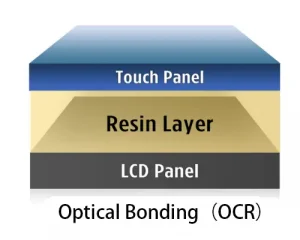
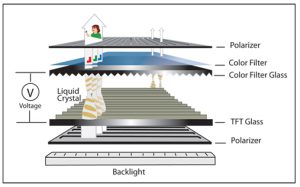
Display bring-up is where schedules often slip. Two LCD panels with the same size and resolution may use different timing parameters or touch controllers. Replacing one panel with another can therefore require a device-tree change, a new driver or both.
The quotation therefore needs a software scope, not just a board price. A factory image that boots on an evaluation board is not necessarily ready for a custom product. Boot animation, screen rotation, kiosk mode, GPIO behavior, application auto-start and OTA updates may all require project-specific work.
Questions to Settle Before Layout Begins
Before layout starts, define the display, expected UI load, available enclosure space, operating temperature and duty cycle. Connector choice matters too. A full-size USB Type-A socket may be convenient on the bench but impossible to use inside a thin housing.
Those early decisions set the PCB outline, connector positions, cooling method and power budget. They also reveal whether an off-the-shelf SBC will fit or whether the project needs a custom Android PCBA.
Do not size the eMMC from the Android image alone. Logs, cached media and repeated OTA updates consume space over the product’s lifetime. Keeping some capacity free also helps eMMC performance and wear management.
Assembly and Production Testing
During manufacturing, the board goes through solder-paste printing, component placement, reflow and inspection. BGAs and other bottom-terminated parts may require X-ray inspection because their joints cannot be checked from above.
Functional testing should go beyond confirming that a power LED turns on. A useful production test boots Android, checks the display and touch panel, verifies network connections and exercises the interfaces required by the product. Current consumption and storage programming should also be recorded. These checks take time, but they are much cheaper than finding an intermittent board after final assembly.
When requesting an Android PCBA, state the expected delivery condition: assembled only, programmed, or fully tested with the target display and peripherals. That one line in the RFQ can prevent a common problem—a board that is electrically complete but still not ready for the product.