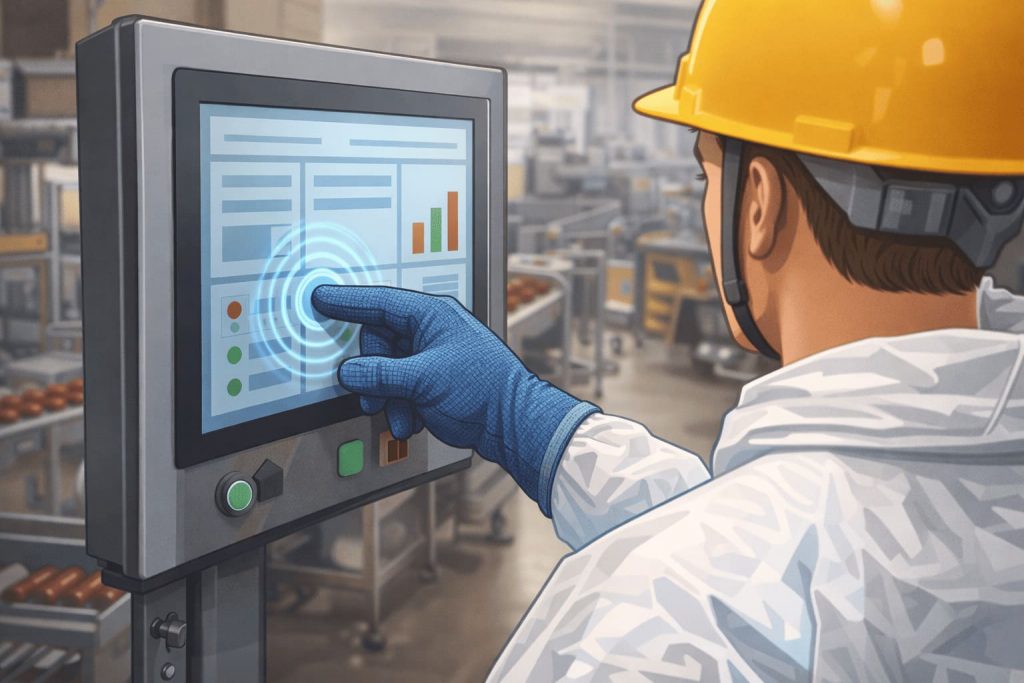
Introduction: The New Touch Challenge on the Industrial Environments
Capacitive touch screens have now taken over the resistive touch screens gradually over the past years and have become the standard option in the industrial market. They are highly sensitive and can serve a long life, multi-touch, and capable of performing well in optical functions, which makes them very applicable in modern human-machine interface (HMI).
Nevertheless, with the increasing variety of application scenarios in industry, a frequent problem has arisen:
many operators must wear gloves during operation, making reliable industrial capacitive touchscreen glove operation a critical requirement.
In the production of medication, food processing, auto manufacturing, logistics, and outdoor equipment, gloves are frequently required as protective equipment (safety, hygiene, or thermal):
How can an industrial capacitive touchscreen reliably detect touch input when the operator is wearing gloves?
To answer this question—why normal capacitive touchscreens cannot be used with gloves—we need to start with the fundamentals.
1. Root Cause: Why Standard Industrial Capacitive Touchscreens Fail With Gloves
1.1 A short introduction to the principles of working of Capacitive Touchscreens
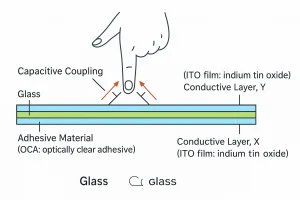
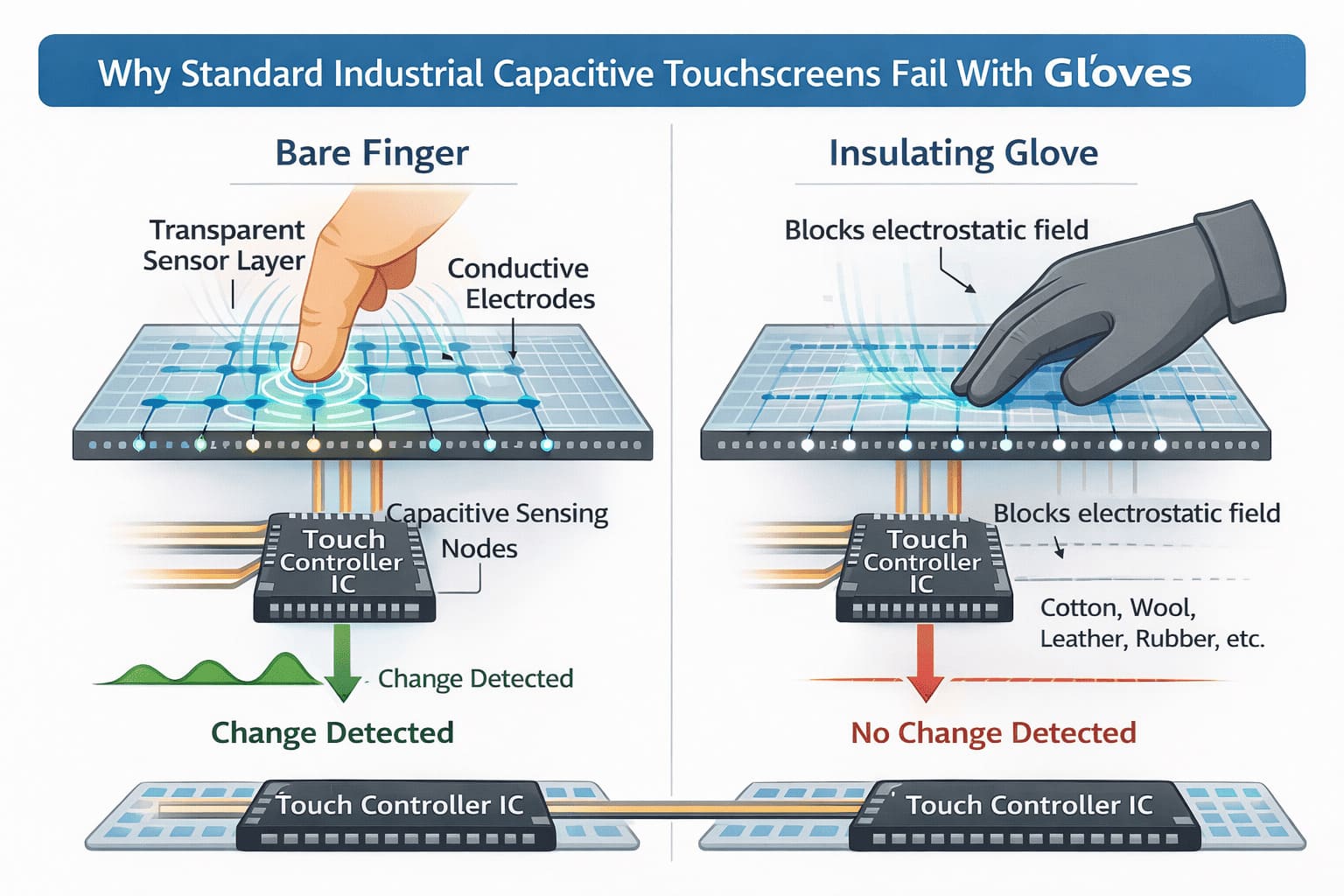
Projected Capacitive (PCAP) is the technology that is used by most current smartphones, tablets, and industrial touch panels. This is how it works according to a phenomenon called capacitive coupling.
Inside a PCAP touchscreen
-
A transparent sensor layer contains a fine grid of conductive electrodes arranged in rows and columns.
-
The electrodes produce a weak electrostatic field on the surface of the screen when they are in operation.
-
The cross point is each a capacitive sensing node.
In case of a bare finger pitting on the screen, the human body which is electrically conductive touches with this electrostatic field. This interaction creates a small but measurable change in capacitance at nearby nodes.
These changes are detected by the touch controller IC, calculated, and touch point.
1.2 The Effect of Insulating Gloves in blocking the Signal
The issue is with the material properties of gloves, which directly affect industrial capacitive touchscreen glove operation. Modern glove-compatible industrial touchscreens are designed to detect touch input even when operators wear thick or insulating gloves.
Common glove materials—cotton, wool, synthetic fibers, leather, or rubber—act as electrical insulators, blocking the necessary capacitance changes on industrial touchscreens designed for glove use.
-
The glove material blocks the electrical coupling between the finger and the touchscreen’s electrostatic field.
-
At the sensor nodes, there is no effective capacitance change that is formed.
-
The controller IC is not able to sense an acceptable touch signal.
From the touchscreen’s perspective, it appears as if nothing has touched the surface at all.
This is what makes it typical that standard consumer grade capacitive touchscreens typically do not support glove input.
2. Breaking the Barrier: Three Core Technologies Behind Industrial Glove Touch Support
The ability to support the operation of a capacitive touchscreen with a glove is not a feature in itself, but rather a combination of hardware, software, and optimization at the system level.
2.1 Hardware Enhancements for Glove-Compatible Industrial Touchscreens
Consumer touch controllers are generally designed to operate with bare fingers with signal variations that tend to be quite high. The operation of gloves generates significantly weaker signals, though.
Industrial grade capacitive touch screens attempt to solve this by:
-
High-performance touch controller ICs with greatly increased drive strength and receiver sensitivity have been used. (e.g. industrial-specific controllers, like the Atmel maXTouch line).
-
Enhancing the signal-to-noise ratio (SNR) to get the valid touch signals in noisy conditions.
More optimizations can be done on sensor side such as:
-
Enlarged electrode patterns
-
Specialized routing designs
-
Adjusted sensor pitch and geometry
This variation is useful in creating a higher electric field which is more penetrative to glove material.
2.2 Software Intelligence for Industrial Capacitive Touchscreen Glove Operation
Hardware alone is not enough. Software is the key to the proper glove detection.
Modern industrial touch controllers typically implement:
-
Industrial touchscreen glove mode, or adaptive sensitivity profiles
When enabled, the controller dynamically adjusts detection thresholds to recognize weaker capacitance changes. -
Professed digital filtering algorithms
These eliminate environmental noise at the same time protecting valid touch signals. -
Scanning mode flexibility
The controller can also in certain instances change to self-capacitance scanning (better signals, more glove tolerant) to mutual-capacitance scanning (high precision).
By using adaptive algorithms and continuous tuning, the system can ensure the constancy of the performance of the system in the case of various glove types and thicknesses.
2.3 Ensuring Reliable Industrial Touchscreen Glove Operation in Harsh Environments
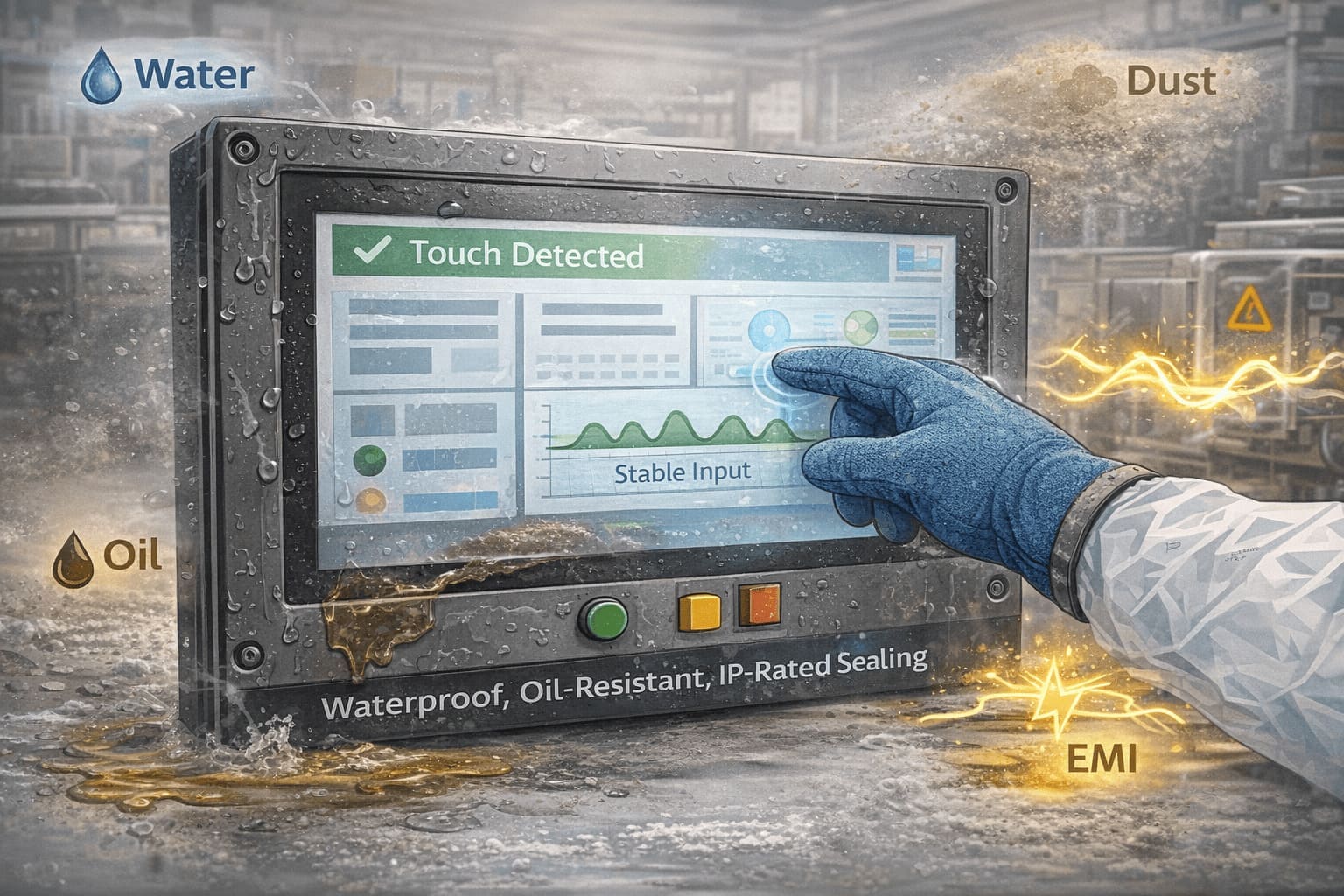
Industrial facilities are not always clean or electrically silent, and that is why the use of waterproof and oil-resistant industrial touchscreens is an indispensable requirement in most cases.
-
Water droplets and moisture on the screen surface
-
Oil films, grease, and dust
-
Powerful Electromagnetic Interference (EMI) of nearby equipment.
In order to overcome these challenges, industrial solutions are a combination of:
-
Structural design improvements (thicker cover glass, proper sealing, IP-rated enclosures)
-
Firmware-level features such as water rejection and wet-touch tracking
-
Circuit and grounding design of EMI resistant circuit
The result is stable touch performance even in wet, oily, or electrically noisy conditions.
3. Capacitive Touch vs. Resistive Touchscreen
Having learned about more sophisticated capacitive solutions, it is helpful to compare them objective with the standard resistive touchscreens, particularly when considering the question of whether capacitive touchscreens or resistive touchscreens should be used with a glove.
| Aspect | Key Features of Industrial Capacitive Touchscreen Glove Operation | Resistive Touchscreen |
|---|---|---|
| Touch Principle | Detects capacitance change | Detects physical pressure |
| Glove Compatibility | Requires dedicated hardware & software | Naturally supports all gloves |
| User Experience | Excellent: multi-touch, high clarity, durable glass | Basic: usually single-touch, requires pressure |
| Surface Durability | Glass, scratch-resistant | Plastic film, prone to wear |
| Environmental Adaptability | Very good (with proper design) | Excellent in extreme contamination |
| Typical Applications | Modern industrial HMIs, smart equipment | Legacy or extremely harsh environments |
Conclusion and Practical Recommendations
-
Choose industrial capacitive touchscreens when multi-touch, responsiveness, optical clarity, and long-term durability are important—and when the environment includes dust, moisture, or light oil contamination.
-
Consider resistive touchscreens when interaction is very simple, environments are extremely harsh (heavy oil, corrosive liquids), budgets are tight, and glove types are completely unpredictable.
4. Typical Applications and Future Outlook
4.1 Common Industrial Applications Today
-
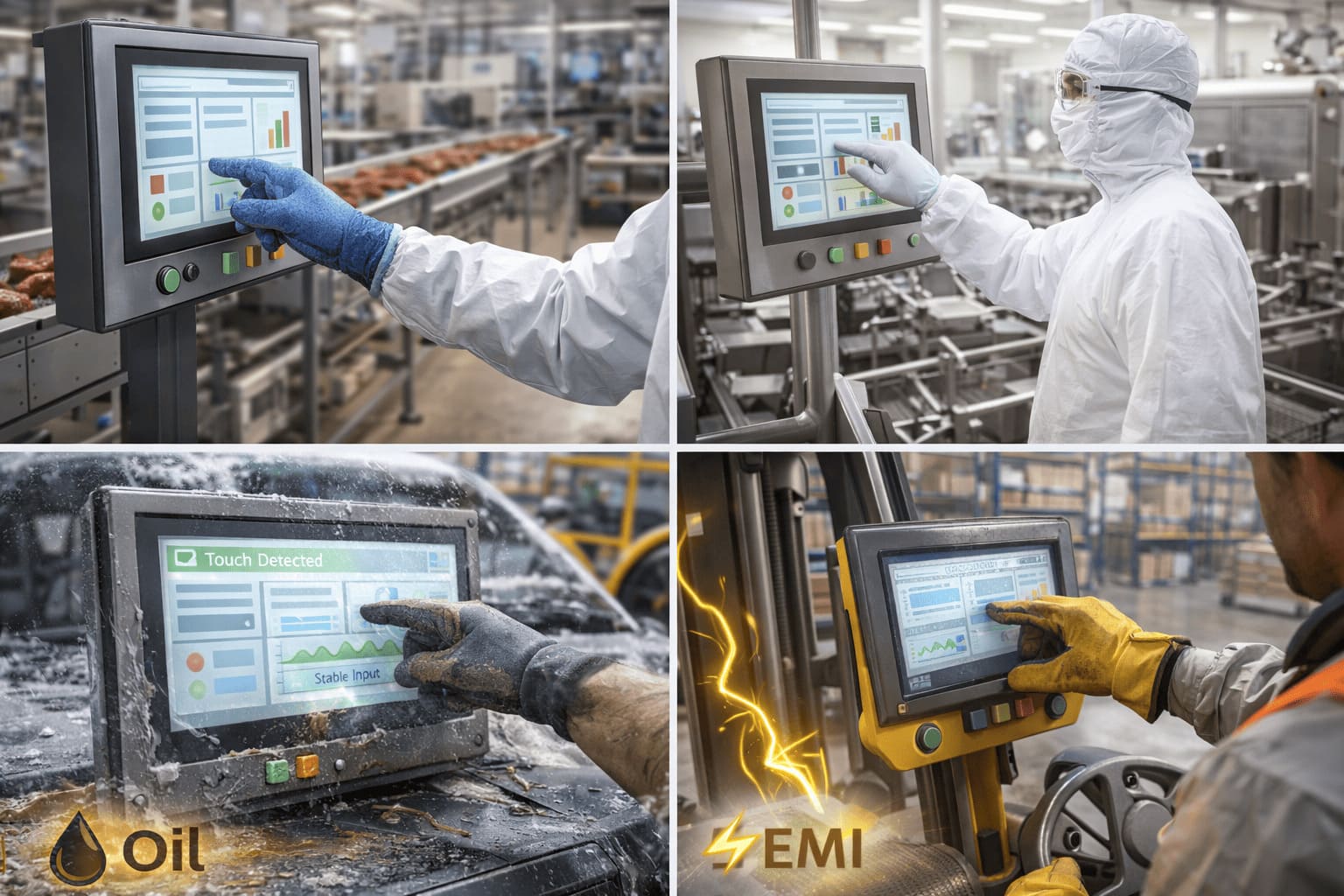
Food processing, pharmaceutical.
The clean rooms and production lines also demand regular washing and frequent usage of gloves (often IP65/IP66). -
Outdoor products and automotive production.
The common ones are low temperatures, oil contamination, and protective gloves. -
Intelligent warehousing and logistics.
Forklift terminals and handheld devices which are run by workers who are clad in safety gloves.
4.2 Future Trends
In the future, there are a number of trends that are influencing the future of glove-capable touch technology:
-
Touchscreens and smart gloves or conductive gloves should also be co-invented
-
Enhanced interaction through pressure sensing and haptic feedback
-
Greater adaptability through AI-assisted signal processing
These innovations will further aim at minimizing the distance between usability and environmental strength.
5. Summary and Selection Advice
The solution to the problem of glove use on an industry capacitive touchscreen is a holistic design decision, which is the integration of improved hardware, smart algorithm, and effective environmental protection.
When selecting a solution, users should:
-
Clearly define their primary requirement: user experience or extreme environmental tolerance
-
Use real gloves in the real use during the test of the touchscreen.
-
Pay attention to the touch controller model, tuning flexibility, and EMI performance
The performance of the glove touch can be tested in real-world conditions, which is the best method to check it.
6. Frequently Asked Questions (FAQ)
Q1: How can I verify whether a touchscreen truly supports my gloves?
A: Always test your industrial capacitive touchscreen glove operation with the actual gloves that will be used in production. Various gloves may give widely different results.
Q2: Are glove operation on all industrial capacitive touchscreens?
A: No. Glove support requires dedicated hardware design and firmware tuning. It is not a default feature.
Q3: Is using gloves mode excessively sensitive with fingers?
A: Properly designed systems dynamically adjust thresholds, maintaining stable performance for both bare fingers and gloves.
Q4: Does touch performance increase with the thickness of gloves?
A: Yes. Thicker or more insulating gloves generally reduce signal strength and may require stronger tuning.
Q5: What other input methods are also supported other than gloves?
A: Many industrial capacitive touchscreens also support passive styluses and operation with wet fingers, depending on configuration.