Why Embedded Systems Require a Different Approach to Screen Resolution Sizes
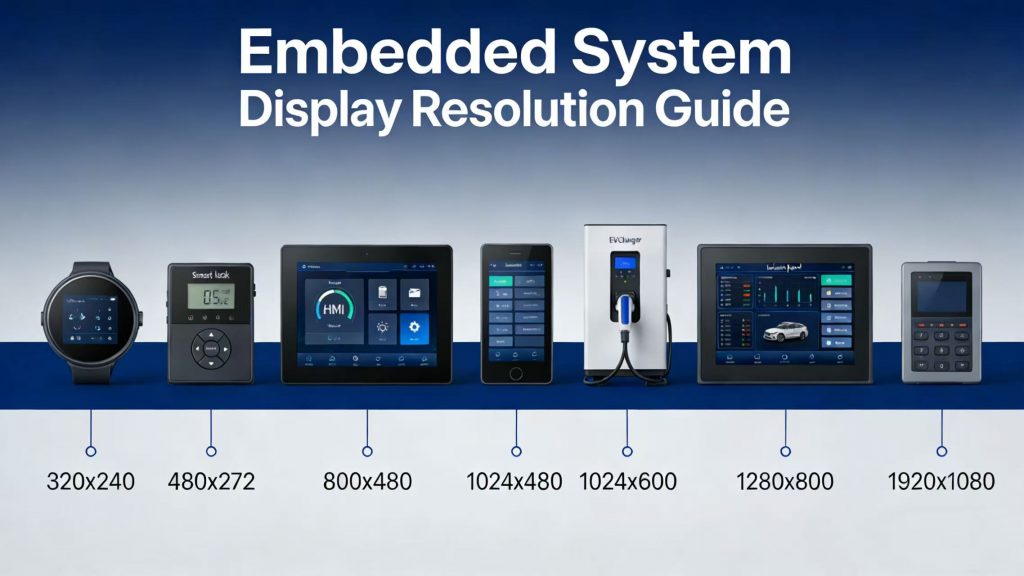
Most guides you’ll find on screen resolution sizes are written for gamers or office workers—lots of talk about 4K, high refresh rates, and ultrawide monitors. But if you’re designing an embedded product like a smart lock, EV charger, or CNC machine HMI, those rules don’t really apply. In the embedded space, cranking up the resolution often means higher BOM cost, tighter thermal constraints, and longer software development cycles. The right embedded display resolution is the one that meets user expectations at the lowest system cost.
Three things really drive your embedded display resolution decisions: how far away users are, what the interface actually needs to show, and what your hardware budget can handle. A wall-mounted thermostat viewed from a meter away? It doesn’t need anywhere near the pixel density of a handheld scanner held at 30 cm. A simple UI with just a few icons can run perfectly fine on a low-cost MCU. But once you add a map, detailed graphics, or any kind of rich content, you’re probably looking at an MPU—and maybe double the PCB layers. Ignore these trade-offs, and you either overspec the display or, worse, ship something that looks unpolished and unprofessional.
In this guide, we’ll walk you through a practical engineering framework for picking the right screen resolution sizes—whether you’re working with a 1.0” or a 15.6” display. You’ll find dimension‑by‑dimension reference tables, PPI guidelines actually calibrated for industrial use, and real case studies where the “perfect on paper” spec got replaced by something smarter and far more cost‑effective.
📌 Case snapshot
Screen Resolution Sizes by Form Factor: A Reference Table for 1.0″ to 15.6″ Displays
| Screen Size | Entry-Level Resolution | Premium Resolution | Aspect Ratio | Typical Use Case |
|---|---|---|---|---|
| 1.0″ – 2.1″ round | 240×240 | 360×360 | 1:1 | Smart locks, wearables |
| 2.4″ – 2.8″ | 320×240 | 480×320 | 4:3 / 3:2 | Thermostats, intercoms |
| 3.5″ | 480×320 | 800×480 | 3:2 / 5:3 | Handheld terminals |
| 4.3″ | 480×272 | 800×480 | 16:9 | Industrial HMI, doorbells |
| 5.0″ | 800×480 | 1280×720 | 16:9 | Smart home control panels |
| 7.0″ | 1024×600 | 1280×800 | 16:9 / 16:10 | Tablet‑style HMIs, patient monitors |
| 10.1″ | 1280×800 | 1920×1200 | 16:10 | Advanced IoT panels |
| 15.6″ | 1920×1080 | 3840×2160 | 16:9 | High‑end industrial workstations |
Not seeing your exact resolution in the list? Maybe you need something like 640×480 on a 5” panel, or an ultra-wide aspect ratio. In those cases, custom LCD resolution isn’t just possible—it’s often the cleanest way forward. We can handle fully bespoke timing through MIPI DSI, LVDS, or RGB interfaces, and tweak the pixel clock so everything plays nicely with your MCU or MPU.
How PPI and Viewing Distance Determine the Ideal Industrial LCD Resolution
Here’s something that often gets overlooked: PPI—pixels per inch—is really what determines how sharp a display looks. Engineers tend to fixate on resolution numbers, but PPI tells the full story. The math is straightforward:
PPI = √(horizontal² + vertical²) / diagonal inches
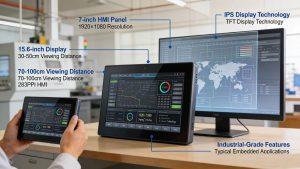
Take a 7” display at 1024×600—that’s around 170 PPI. Cram the same resolution into a 10.1” panel, and PPI drops to 117. You can actually see the difference. That’s why, when we’re specifying industrial LCD resolution, we never just look at the pixel count. We always factor in PPI and the typical viewing distance together.
Based on empirical testing with operators and end‑users, we recommend the following PPI thresholds for embedded products:
| Usage Scenario | Viewing Distance | Target PPI |
|---|---|---|
| Handheld / close interaction | < 40 cm | ≥ 200 PPI |
| Panel‑mount / desktop | 50 – 80 cm | 150 – 180 PPI |
| Wall / ceiling mounted | > 1 m | 100 – 130 PPI |
We see this one all the time: specifying 1280×800 on a 7” display (215 PPI) for a machine panel viewed from 70 cm. At that distance, most operators can’t tell the difference from 1024×600 (170 PPI). Seriously—95% of users wouldn’t notice if you didn’t tell them. But the panel and the GPU horsepower to drive it? That’ll cost you about 30% more. Put that budget into higher brightness, better touch response, or extended temp range instead. Your users will thank you.
Matching Screen Resolution with SBC Capabilities for Total Solution Success
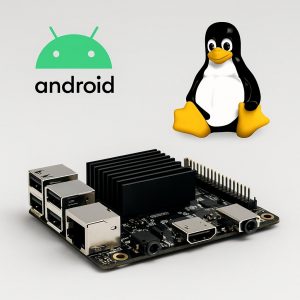
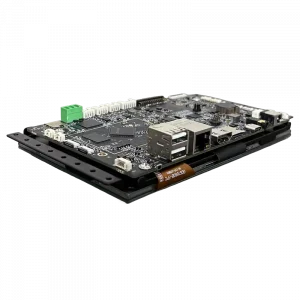
We see this happen a lot: someone picks out a beautiful high-res display, then realizes their SBC can’t actually drive it. Suddenly they’re scrambling to find an SBC for high resolution display that supports the right interface—MIPI DSI lane count, eDP, LVDS clock—and has enough GPU grunt to keep the UI from stuttering. It’s a mismatch that sets projects back weeks and often ends with another PCB spin nobody budgeted for.
To de‑risk your project, match the resolution class with the appropriate SBC platform:
| Resolution Range | Recommended SBC Platform | OS Support | Typical Use Case |
|---|---|---|---|
| ≤ 480×272 | Cortex‑M MCU | RTOS / Bare metal | Home appliances, sensors |
| 800×480 – 1280×800 | ARM Cortex‑A35/A55 (RK3326, RK3566) | Linux / Android | Control panels, EV chargers |
| ≥ 1920×1080 | ARM Cortex‑A76/A78 (RK3588) | Android / Linux | Medical, kiosks, multi‑display |
We’re a total solution provider—so we don’t just sell you a screen and an SBC separately and hope for the best. We validate the whole signal chain: MIPI DSI lane mapping, touch controller integration, boot‑up scaling. What you get is a matched pair, tested and guaranteed to work together. Whether you need an MCU‑driven 320×240 panel or a 4K‑ready system built around a capable SBC for high resolution display, chances are we’ve already verified that combo.
Real-World Custom LCD Resolution Case Studies in Smart Home and Industrial Control
Case A – EV charger with 12.1” Industrial Display
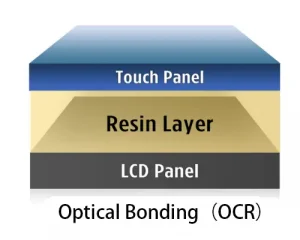
In one of our recent industrial control projects, a European EV charger developer required a high-brightness 12.5″ touch display for outdoor use, integrated into a rugged HMI. Initially exploring multiple suppliers and custom glass options, they engaged us for a tailored solution. We recommended the RK121BI05E-CT (12.1″, 1280×800, IPS, LVDS) with an integrated PCAP touch panel and an AD board for HDMI output. For initial evaluation, we supplied a standard sample (without tooling cost) to verify performance, touch functionality, and daylight readability. The final customized solution included a large 21″ cover glass, 3 mm thick, with AG surface treatment, anti-UV ink, OCA optical bonding, and IK07 protection, ensuring durability in outdoor environments.
This and other industrial and smart home projects illustrate that custom LCD resolution is not simply about maximizing pixel count—it is about aligning pixel density, touch performance, and mechanical design to real-world usage, while optimizing the interface, backlight, and cover glass to meet both performance and cost objectives.
Case B – Smart Home 8” HMI Display
A smart home integrator requested an 8” display with 1280×800 resolution, high brightness, and glove-touch support. Our available panel was 800×1280 (portrait orientation), so we adjusted it to be used in landscape mode to meet the client’s resolution requirement. For evaluation, we provided a sample using an RK3566-based board with a GT911 CTP, allowing testing of board performance, display quality, PoE, and basic touch functionality.
The final customized solution included an ILITEK IC for nitrile glove support, Linux OS (or Android), and custom FPC and cover glass with logo printing. This approach enabled early validation of key features while optimizing tooling costs and ensuring smooth integration with the client’s housing design.
Key takeaway: Custom LCD resolution isn’t just about adding pixels—it’s about engineering the right orientation and pixel density for the application, then pairing it with compatible SBCs, backlight, and touch solutions to achieve both performance and cost targets.
✅ Conclusion & Call to Action
Picking the right screen resolution sizes for an embedded product isn’t just a spec sheet decision—it touches user experience, manufacturing cost, and how fast you can get to market. Use the tables and guidelines above to narrow things down, then bring our engineers in to help validate the final call.
📥 Download the free “Resolution & SBC Matching Spreadsheet”
*Get 20+ pre‑validated display + SBC combinations for sizes from 1.0” to 15.6”.*
[Click here to request the download link – fill out a 1‑minute form]
👉 Or, if you already have your draft specification:
Submit a quick inquiry and receive a custom resolution proposal within 24 hours.