In many automation projects, the control panel is the part operators interact with most often. It is where machine status is displayed, parameters are adjusted, and daily operation is managed. Even when the automation logic is handled elsewhere, the panel still shapes how the whole system is experienced on the factory floor.
In practice, standard panels are often only a partial fit. One project may need multiple serial ports and a small display, while another may require a larger touch interface, stronger graphics capability, or better protection against electrical noise. That is why many equipment makers and system integrators eventually move toward a custom control panel instead of forcing the machine to adapt to a generic platform.
The design work usually starts long before schematic capture. Requirements have to be clarified first, then the hardware platform, display, interfaces, and enclosure constraints are gradually defined around the actual machine. The following sections walk through that process from an engineering perspective.
Understanding the Role of an Industrial Control Panel
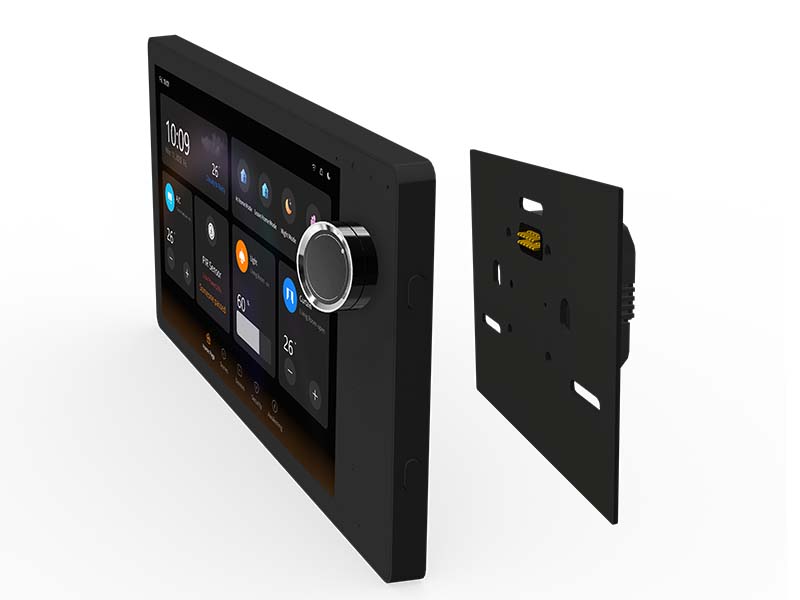
A modern industrial control panel is usually more than a screen with a few buttons. In many designs, it combines the computing platform, display, communication ports, and power circuitry into one compact unit that is mounted directly on the machine or inside the equipment cabinet.
On the operator side, the panel is where real-time data becomes usable. It may show running status, alarm messages, production counters, temperature values, or maintenance prompts. For many machines, this interface becomes the practical control center, even if the lower-level logic still runs on a PLC or other controller.
Older systems often relied on indicator lamps, physical buttons, and small monochrome displays. That approach still works for simple tasks, but it becomes limiting once the machine needs trend charts, multilingual UI, recipe management, remote diagnostics, or OTA updates. This is one reason embedded platforms with touch displays are becoming more common in newer control panel designs.
Requirement Definition for a Custom Industrial Control Panel
Before any real hardware work begins, the project team usually needs a detailed discussion with the customer. That part sounds simple, but in many projects it determines whether the first hardware version will be close to usable or whether it will need multiple rounds of rework.
At this stage, the key question is not just “what panel do you want,” but “what exactly must this panel do on the machine?” A panel used for a packaging line is very different from one used in an energy system, access terminal, or smart building controller.In most cases, engineers need answers to a few practical questions before they can choose the platform and start the design.
Several key questions are usually discussed during this stage:
- What machine or subsystem will the panel actually control?
- Does the project need RS485, Ethernet, CAN, UART, or a combination of these interfaces?
- How large should the display be, and is a touch interface necessary?
- Will the software only handle basic HMI tasks, or does it also need local data processing and multimedia capability?
- Will the panel be installed in a clean indoor environment, or in a location with heat, vibration, dust, or electrical noise?
Getting these points clear early usually saves much more time than it seems. In real projects, many redesigns do not come from PCB mistakes, but from requirement changes that should have been settled before the architecture was chosen.
In many industrial automation projects, this requirement confirmation phase is one of the most important steps, because it determines the overall hardware architecture and ensures that the final system meets the operational needs of the machine.
Key Components of a Custom Industrial Control Panel
Once the requirements are clear, the panel architecture can be broken down into a few major hardware blocks. The exact combination depends on the machine, but most custom designs revolve around the same core modules.
Embedded Computing Platform
The computing platform determines how the panel behaves in daily use. It affects UI smoothness, boot time, software flexibility, peripheral support, and long-term maintenance. In modern designs, this role is often handled by an industrial single board computer (SBC) based on ARM processors. In many current designs, an ARM-based SBC is enough to run Linux or Android smoothly without pushing power consumption too high. That makes it a practical choice for panels that need graphics, networking, and multiple external interfaces.
Typical processors used in industrial SBC designs include Rockchip platforms such as RK3566, RK3588, RK3399, or PX30. These processors integrate CPU, GPU, and multimedia engines, allowing the control panel to support graphical user interfaces, networking, and data processing simultaneously.
Another practical advantage is software development. With an SBC platform, the development team can work with mature application frameworks instead of building everything at the firmware level, which usually shortens the overall development cycle.
Industrial Touch Display
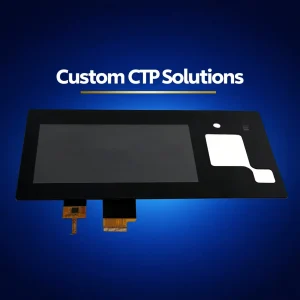
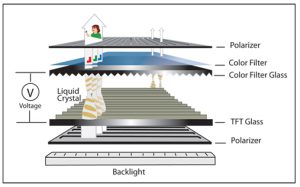
In many newer projects, the display is no longer a secondary accessory. It becomes the main operating surface of the machine. Industrial displays are typically based on TFT LCD technology with capacitive touch panels. Compared with traditional button-based control systems, touchscreen interfaces allow more flexible visualization of data and system status.
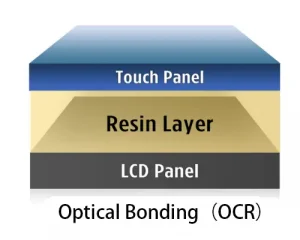
For compact equipment, a 4-inch or 5-inch panel may be enough. Larger machines or systems with more interface layers often move to 7-inch or 10-inch displays to give the operator more room for status information, settings, and alarm pages. For industrial environments, displays are often designed with high brightness, wide viewing angles, and long operational lifetimes. Features such as optical bonding or reinforced cover glass may also be used to improve durability and readability.
Communication Interfaces
Industrial control panels must communicate with a wide range of external devices, including sensors, PLC systems, and automation controllers. As a result, multiple communication interfaces are usually integrated into the system.
Interface selection usually depends on what the panel needs to talk to. In many automation projects, the following are the most common choices:
- UART for serial communication
- RS232 and RS485 for industrial device connectivity
- Ethernet for networking and system integration
- USB ports for peripheral devices
- CAN bus for machine control systems
The selection of communication interfaces depends heavily on the automation system architecture and the devices being controlled.
Power Management System
Industrial environments often require robust power management. Many control panels operate on 24V DC power systems commonly used in industrial automation equipment.
Power protection circuits, voltage regulators, and filtering components are typically included to ensure stable system operation. Proper power design is especially important in environments where electrical noise or unstable power sources may be present.
Choosing the Right Hardware Architecture
Platform selection is one of the decisions that affects the whole project afterward. Once the software direction, display resolution, and interfaces are set, changing the architecture later becomes expensive. The computing platform must provide sufficient performance while maintaining reliability and long-term availability.
Android-Based Control Panels
Android is often a reasonable choice when the project places strong emphasis on UI experience. If the panel needs a polished touch interface, faster application development, or multimedia-related features, Android can reduce software workload significantly. Android allows developers to create modern user interfaces quickly, and it supports many display and networking features out of the box.
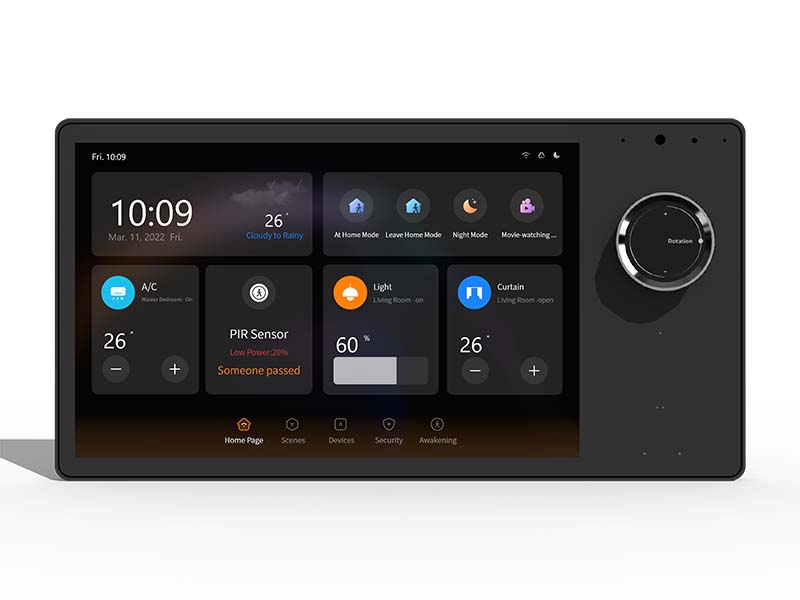
For example, smart home control panels or kiosk systems often rely on Android-based SBC platforms to simplify application development.
Linux-Based Control Panels
Linux is often preferred when the project needs tighter system control. In industrial environments, that usually means more flexibility in driver work, service management, protocol handling, and long-term maintenance strategy. Linux-based control panels allow engineers to customize system services, device drivers, and communication protocols more deeply than typical Android environments.
For many automation systems, Linux provides a reliable foundation for long-term product maintenance.
Important Design Considerations
Even if the core hardware selection looks correct on paper, the panel can still fail in real deployment if the surrounding engineering details are ignored. Engineers must also consider several environmental and operational factors to ensure long-term stability.
Reliability and Environmental Conditions
The real operating environment matters a lot. A panel mounted in a clean indoor cabinet faces very different risks from one installed near motors, heat sources, dust, or vibration. This is why industrial projects cannot simply borrow the design logic of consumer tablets or smart home devices. Components should therefore be selected for industrial temperature ranges and long service lifetimes.
Electromagnetic Compatibility
Industrial environments frequently contain motors, high-power equipment, and switching circuits that generate electromagnetic interference. Problems related to EMI are often underestimated in the early stage. On actual equipment, unstable communication, touch malfunction, or random resets may all trace back to poor layout, insufficient shielding, or weak filtering design.
Mechanical Integration
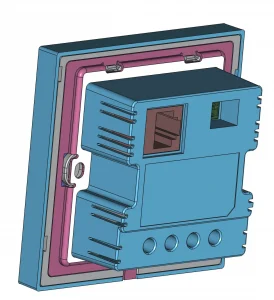
Mechanical constraints also shape the electronics more than many people expect. Connector direction, mounting depth, LCD position, cable bending space, and heat dissipation all influence whether the panel will be easy to assemble and reliable in long-term use.
During the design phase, engineers typically create mechanical drawings to ensure the panel fits properly into the equipment housing.
Typical Applications of Industrial Control Panels
In practice, custom control panels appear in many different types of equipment, especially where standard HMI products cannot match the mechanical layout or interface requirements. Some common application areas include:
- Factory equipment, where operators need to view machine status, alarms, and production settings
- Machine control terminals, where the panel serves as the main interface for local operation
- Energy or power systems, where real-time monitoring and parameter control are both required
- Smart manufacturing equipment, where richer UI and network connectivity are becoming standard
- Industrial IoT terminals, where local display and remote data connectivity need to coexist
In these applications, the control panel acts as the main interface between the automation system and the operator, providing real-time data visualization and system control capabilities.
Advantages of Custom Industrial Control Panel Design
Although standard control panel solutions are available on the market, custom designs offer several important advantages for industrial equipment manufacturers.
One obvious advantage of customization is that the hardware can be defined around the machine instead of the other way around. That usually means fewer unused interfaces, a cleaner structure, and better cost control once the product moves toward volume production.
A second advantage is system integration. When the computing platform, display, and communication paths are designed together, it becomes easier to keep the whole panel stable during development and later maintenance.
Customization also leaves more room for future revisions. If the customer later needs a different interface set, a larger display, or upgraded processing capability, the platform can evolve more smoothly than a design built around a generic off-the-shelf unit.
Conclusion
In the end, a good industrial control panel is not defined only by processor performance or screen size. What matters more is whether the whole design fits the machine it is built for—electrically, mechanically, and from the operator’s point of view.
That is why custom panel development usually starts with requirement analysis rather than component selection. Once the real application is clearly understood, the platform, display, interfaces, and enclosure can be designed as one complete system instead of as separate parts. For automation equipment that is expected to run reliably for years, that difference is often what determines whether the final product feels improvised or well engineered.